WHY ITSLEARNING
See why schools choose a European LMS designed for education over generic platforms.
See why schools choose a European LMS designed for education over generic platforms.
itslearning empowers teachers and helps all students reach their full potential.

Translation generated by an AI translation service
Managing access rights in digital classrooms is an important part of course administration. The permission system has been updated with a revised interface that supports managing course access.
Further information on the permission system can be found in our support article.
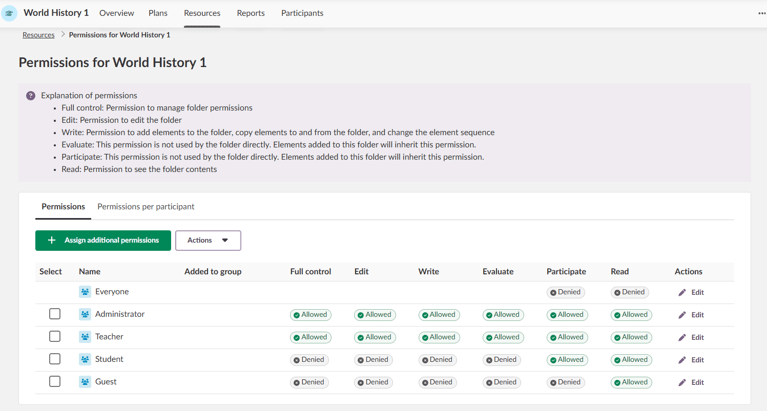
The new design provides an overview of access rights, showing who can view resources and who can edit course materials. This applies both to view permissions for individual resources and to edit permissions for course materials.
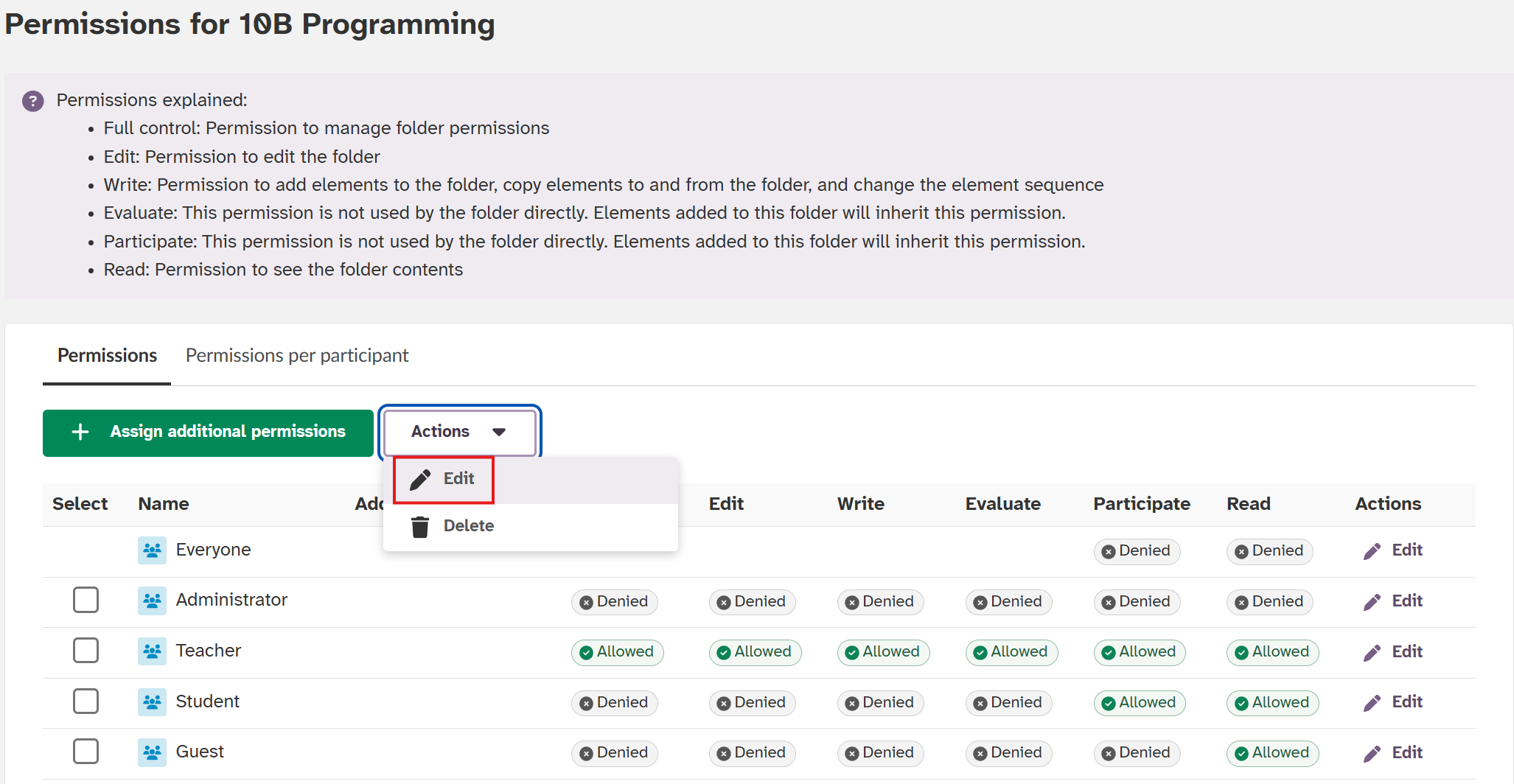
You can edit permissions in two ways: through the Actions menu or the quick Edit button. This allows you to adjust access in just a few clicks, for example when you need to give a student special access to a folder.
The system supports different permission levels, from Read (view-only) to Full control (complete management capabilities).
For example, you can give advanced students Edit access for collaborative projects, while others keep Read access.
This feature is part of the German Development Project (GDP), a collaboration between four German states and itslearning aimed at enhancing digital education in Germany through tailored product developments.
Learn more about the GDP roadmap and what other features you can expect to see.
For German readers, more details on the German Development Project are available on our webpages.