WHY ITSLEARNING
See why schools choose a European LMS designed for education over generic platforms.
See why schools choose a European LMS designed for education over generic platforms.
itslearning empowers teachers and helps all students reach their full potential.

Translation generated by an AI translation service
We publish release notes a few days before each mid-week update. If you are reading this, the update will be available soon. Please note that release dates may change. Some features are also released gradually, which means not all users will see them at the same time. If a feature you expected is not yet available, it will appear soon.
There are a couple of features that up until now could only be enabled or disabled by itslearning Support. With this release, it is also possible for system administrators to enable or disable these features under Admin>Edit global settings>Features and security. Please remember that less can be more and only enable features if you are sure they are needed.
For a better overview, there are a couple of new sections on this page where all settings related to a feature are grouped. Some existing settings have been moved into this section.
Lastly, in the "Available functions" section the setting "Let teachers grant temporary access to students who have been removed from a course" has been added. This setting is especially useful when course membership is managed via an integration, where for example a student that moved class needs to be able to finish as assignment.
This functionality was enabled for a small amount of sites. It allowed users to confirm they have seen the aggregated LO report that could be accessed via the person popup. Given its little use, this functionality has been discontinued.
There are two tabs in the table view: plans and topics. To better support long-term planning, teachers can now create plans in table view when choosing topic view.
| Area | Reference | Summary |
|---|---|---|
| CKEditor | ITS-91990 | When adding an LTI 1.1 plugin via the embed option in editor, it resulted in an "unknown error". |
| Planner | ITS-92003 | Fixed an issue in Planner. When activating a plan in a topic from table view, it may have also activated inactive plans in a different topic. |
With new menus and also work to remove use of iframes, we need to force all links and apps from the new main menu to open in new windows. The option for admins to select existing/new window when setting up links or module applications will be removed.
Since the new course menu does not support the spinner to indicate that a copy is in progress, we are adding feedback banners to inform users that there is an ongoing process, or that errors have occured.
New and smaller course cards
Course cards offer users an easy access to their courses. Teachers can see their follow-up tasks and students can see tasks that are due this week as well as new announcements. We have now updated the look and feel of the card and made them smaller, so that they don't take up so much space. Cards will adapt to the available width of the screen and the content inside. All cards on the same row will have the same size.
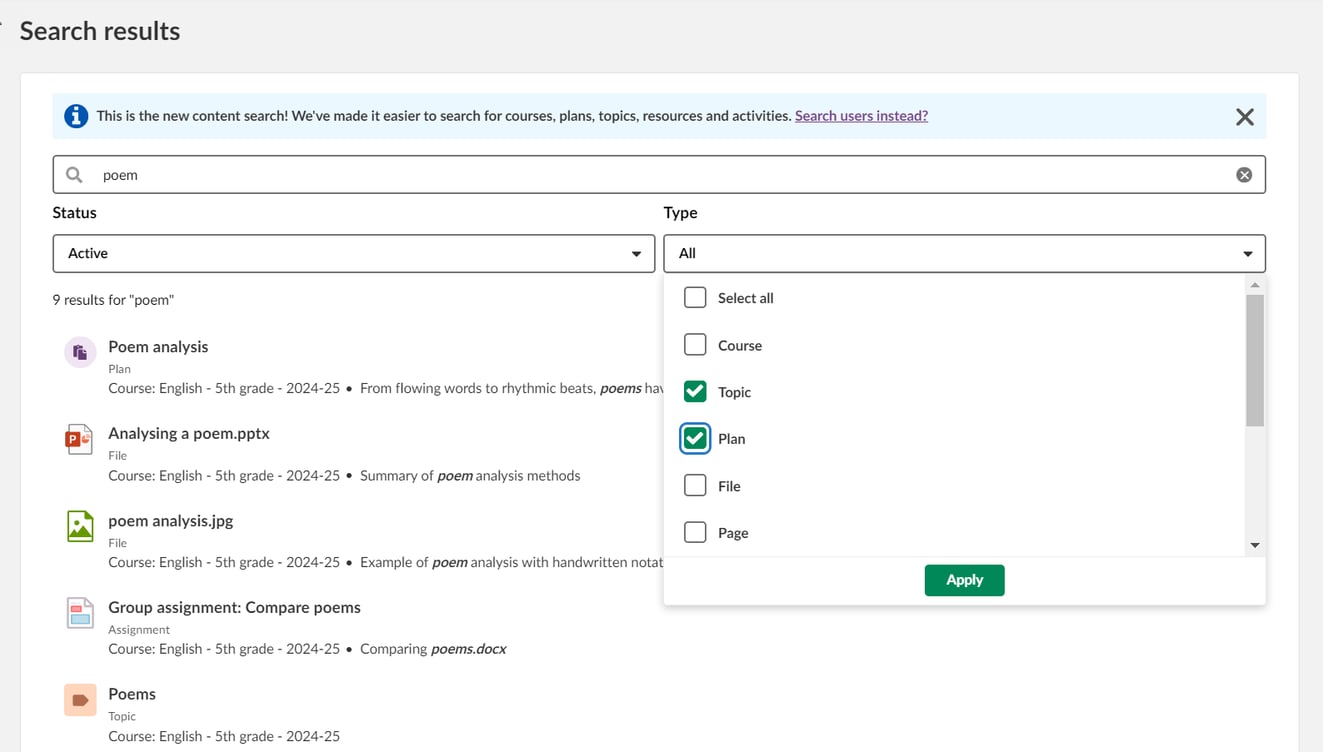
Enhancements to the global content search now allow users to filter search results by active/archived status and content type, making it easier to find relevant resources and activities. Additionally, content found in archived courses is now clearly tagged, and the search results page has been fine-tuned for a clearer presentation of results and an improved user experience.
The global content search is currently available in the personal menu. After the release of the new main and course menus at the turn of July/August, we will move the search field to the main menu.
The header used on anonymous pages like Forgotten password is updated to prepare for new design being released later in 2024. The change is mostly a change of colour from dark purple to white.
As preparation for the ongoing work to remove iframes in itslearning (Admin pages will have these removed late July), we need to ensure that all site links (added by admin and displayed in the main menu) are opened in a new window (tab), as opening in the existing window (inside itslearning) relies on iframes. This means that the option to open a site link in an external window will be removed as this is now always applied.
'Status and follow-up' has been renamed to 'Reports' and we have reviewed the language for all the items on that page. In addition, some items have moved to a new and better location:
These changes will only appear after the new UX is available end of July.
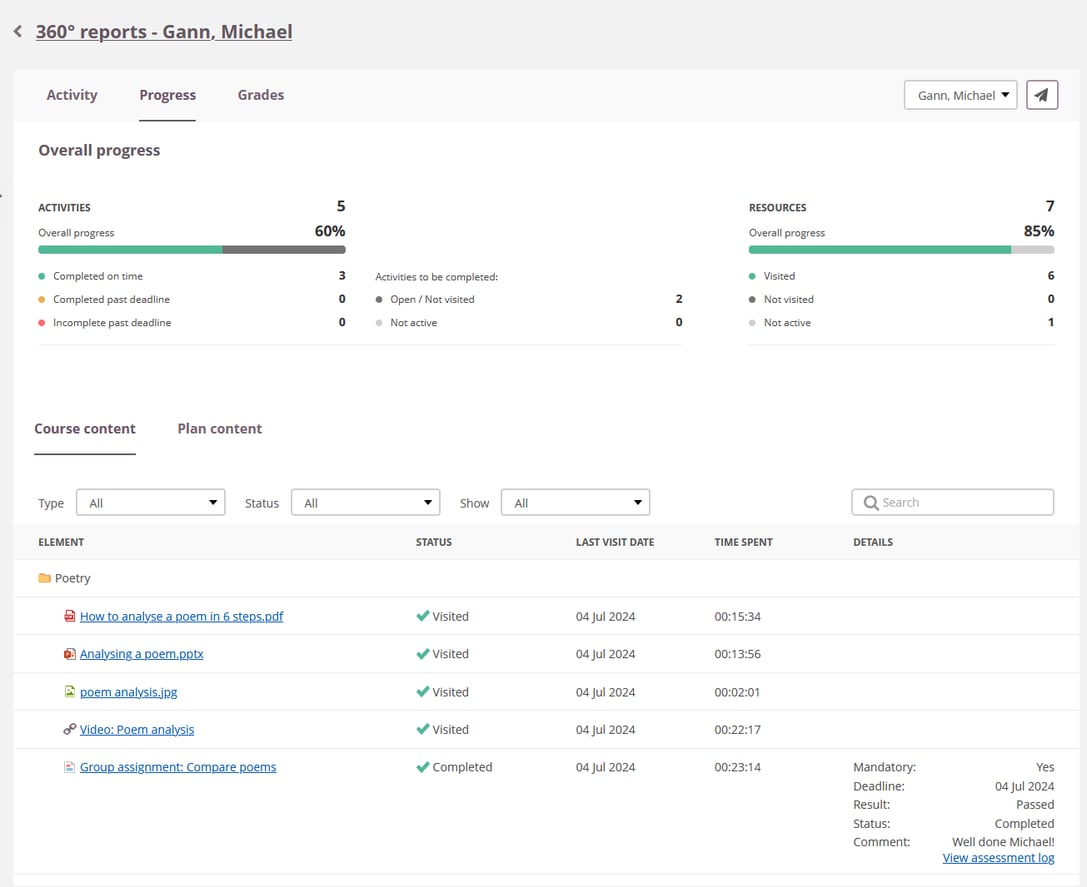
To simpify itslearning and remove duplicate functionality, we have now proceeded to the final removal of the Personal reports. The 360° progress report provides the same course progress information for students, teachers and parents.
If not in use already, we have switched on the 360° progress report automatically in courses where personal reports were in use. If the report is not visible, teachers can add it manually in course settings. Similarly, if personal reports were enabled in the default course settings, we have enabled the 360° progress report instead.
Parent access: Parents and guardians had access to their child's personal report from the Course report icon in the parent portal. This link now takes them to the 360° progress report. The course report is always available to parents and guardians, this has not changed.
| Area | Reference | Summary |
|---|---|---|
| Course Templates | ITS-89835 | In some cases, when creating a new course based on a template course, a resource in Planner that was active on the template course became inactive on the new course. |
| Planner | ITS-89946 | Some special characters were not displaying correctly when using the print option from a plan. |
A "Redirect URL" is one of the standard setup fields of an LTI 1.3 app. In itslearning multiple redirect URLs for the same app was already supported if these URLs were the same for all customers. However, if a redirect URL is customer specific, the administrator needs to fill it in on the "Manage apps" page after they added the app from the App library. On this "Manage apps" page, we did not yet support more than one redirect URL, but after this release we do.
| Area | Reference | Summary |
|---|---|---|
| Planner | ITS-90853 | Fixed an issue where parents could not open resources from a plan. |