WHY ITSLEARNING
See why schools choose a European LMS designed for education over generic platforms.
itslearning empowers teachers and helps all students reach their full potential.

Translation generated by an AI translation service
We publish release notes a few days before each mid-week update. If you are reading this, the update will be available soon. Please note that release dates may change. Some features are also released gradually, which means not all users will see them at the same time. If a feature you expected is not yet available, it will appear soon.
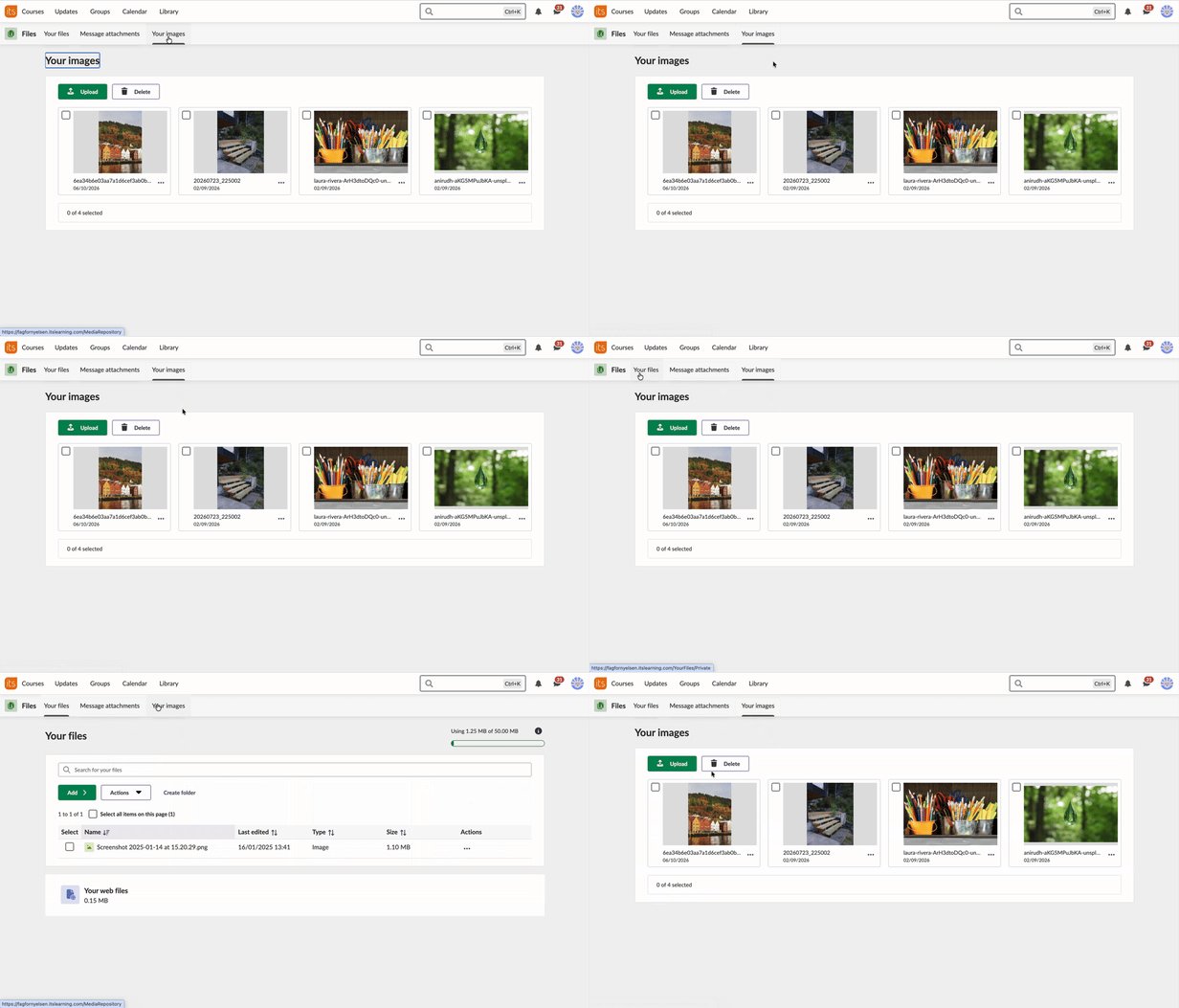
The Your images admin page is moving to Files. Find it under Files ??? Your images.
The What's New link and release notifications now open Product Updates in your selected language.
Users who have selected English, Danish, Dutch, Finnish, German, Norwegian, or Swedish will be directed to the corresponding language version of the Product Updates page. Users with any other language selected will continue to see the English version.
Teachers can assess individual students against learning objective criteria in the updated rubric assessment view in Assignment (new). Select achievement levels, add comments for each criterion, and review or adjust learning objective and mastery statuses. Assignment assessment and feedback are available in the same view.
Read more about the opt-in pilot for Assignment (new) on our blog.
| Area | Reference | Summary |
|---|---|---|
| Planner | ITS-107042 | Fixed an issue in Planner, where the visibility of resources added to the plan may not have followed the visibility setting of the plan. |
| ITS-106429 | When activating a plan with a date in the future, resources in the plan that were added while the plan was inactive, were not automatically activated. |
H5P (short for HTML5 Package) is an open-source framework used to create interactive web content. It allows educators and other content creators to build rich multimedia experiences- like interactive videos, quizzes, and presentations - without needing to write any code.
It is possible to upload and play H5P files (file extension .h5p) in itslearning. This can be done inside the rich text editor or as stand-alone resource. If a standalone H5P resource returns a result, this result will be visible in the itslearning reports, such as the 360 report.
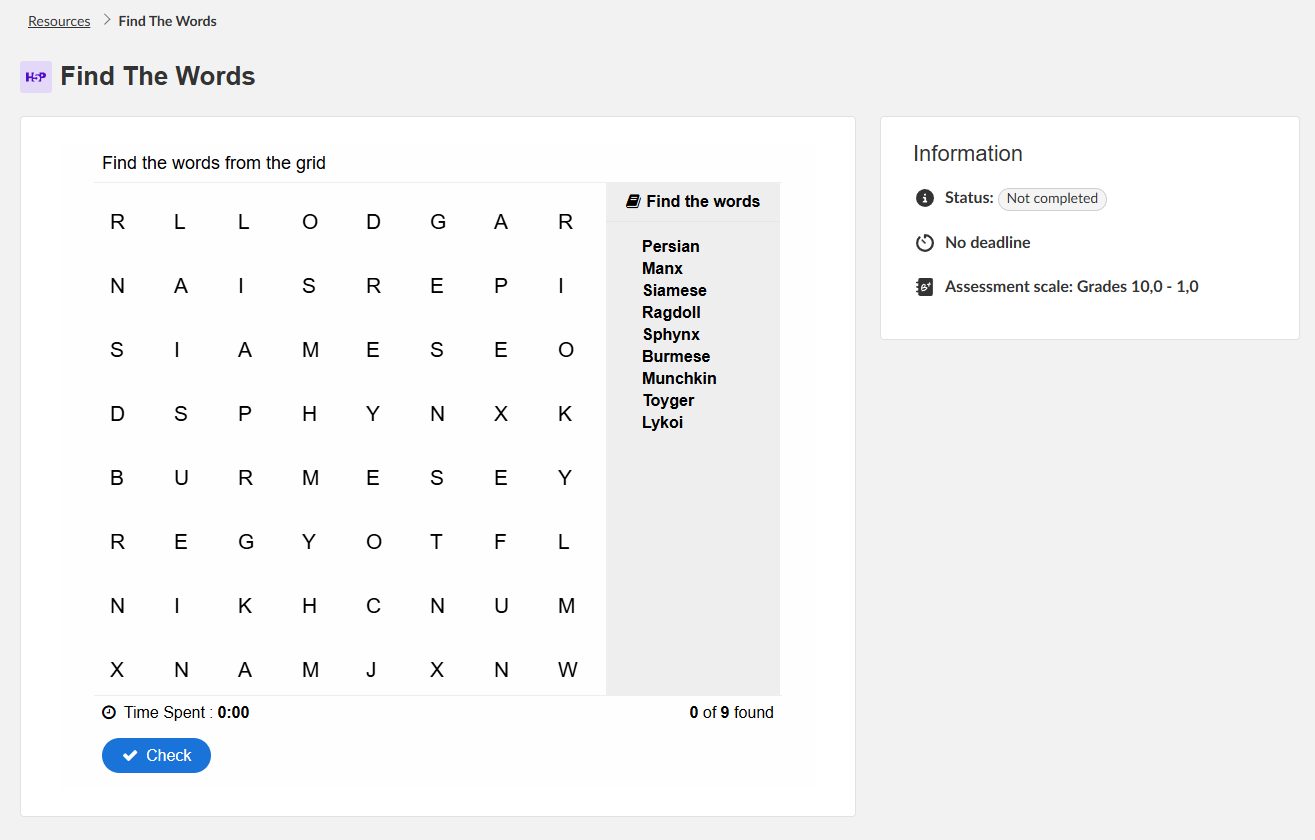
Before a teacher can start uploading H5P files, the (system) administrator needs to make the functionality available.
For more information, please see the support documentation:
We have made some improvements to the itslearning Calendar. Administrators of an organisation can now add events that will be visible for all users of this organisation. For example holidays, teacher training days, etc. These events can be added manually by the administrator, but it it is also possible for the administrator to add up to three external calendars to an organisation, so that users from this organisation will see the events from this external calendar in the itslearning calendar.
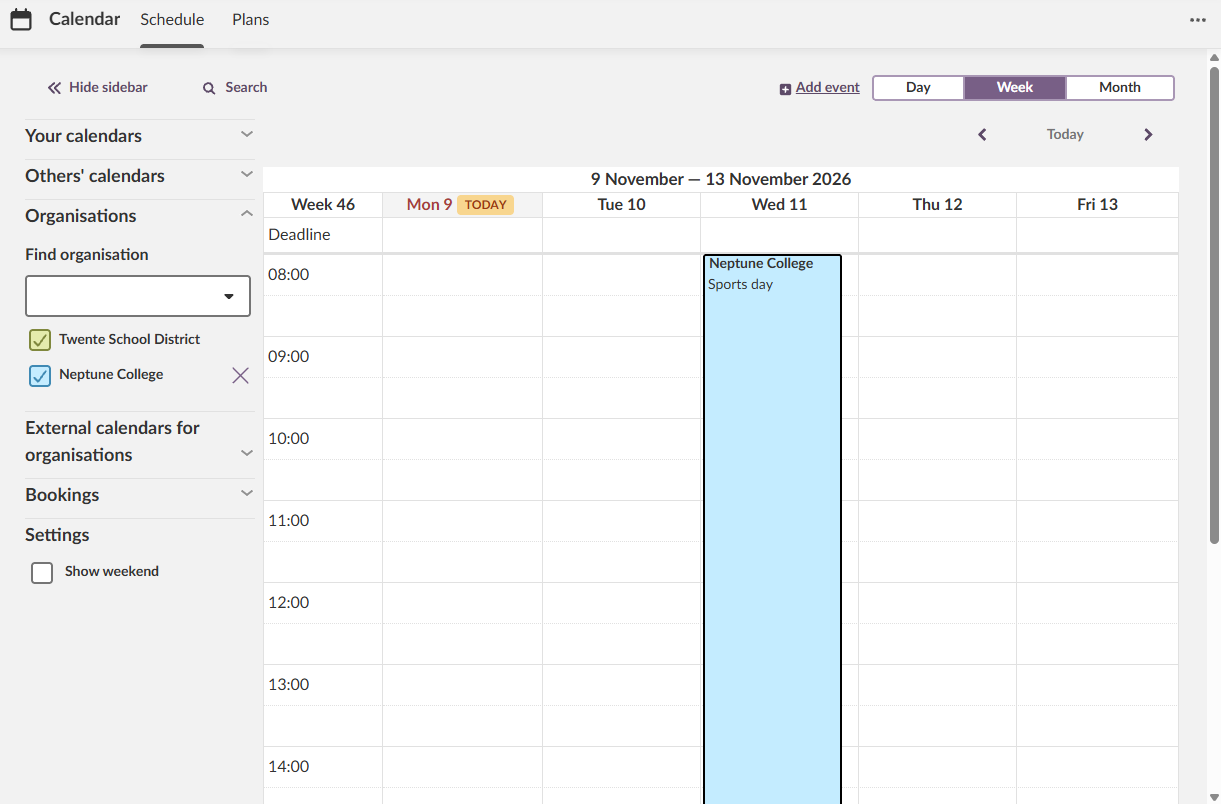
In addition, teachers can now add up to three external calendar to the itslearning calendar. The events of an external calendar will be shown together with the itslearning events from for example courses, giving the teacher an overview of all their events.
Lastly, for users that would like to show events from the itslearning calendar in other calendar solutions we've now made it possible to - in addition to the whole calendar - get an iCal feed for a specific course.
For more information, please see the support documentation:
| Area | Reference | Summary |
|---|---|---|
| Planner | ITS-106400 | Fixed an issue that could cause planner resources to become duplicated when copying a plan more than once to the same course. |
You can now add tree links to content in the same folder from the folder description.
Folder handling when copying and importing Pages
When you copy a Page within itslearning or import content into a new Page using the ORG API, all files in each Files content block are now placed in a single list. The files are retained, but their folder structure is not preserved.
This is part of the renewal of the Page tool and extends the existing restriction on creating and editing folders in Files content blocks. To organise files in folders, use the Resources page in your course.
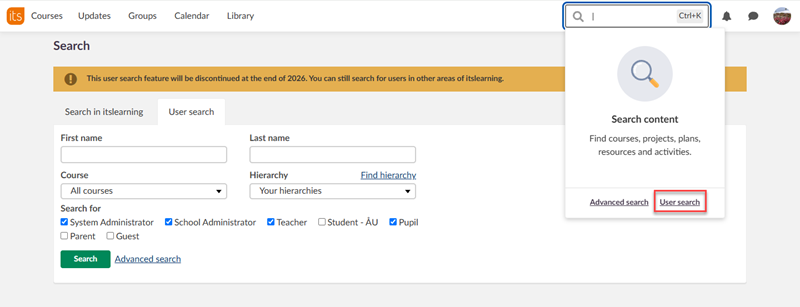
As part of our ongoing work to simplify and modernise itslearning, we regularly review older functionality and whether it still meets users' needs. Based on this review, we have decided to remove 'Global User Search' by the end of 2026.
You can still find users through more context-specific search options available throughout itslearning, such as
As part of preparing for this change, we identified printing user lists with additional user information as functionality that administrators still need. With this in mind, we have added the option to print user lists in Administration > User and access rights.
Administrators can now use the Print selected users operation in Administration > User and access rights to create a printable user list and choose which user information to include.
A printed list can contain a maximum of 200 users. If the selection contains more users, the first 200 will be included.
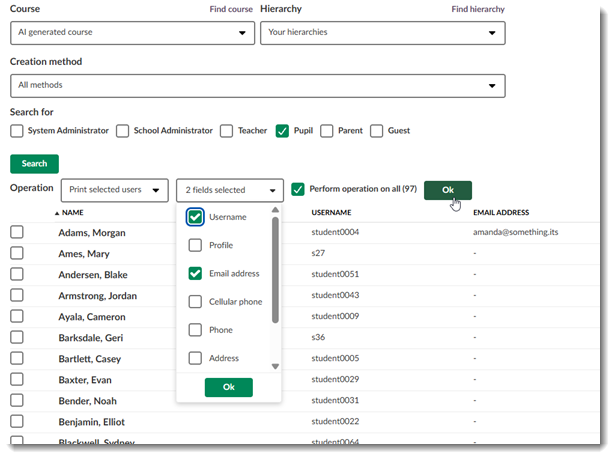
Note: The second field in the user list (username in the screenshot) depends on the option selected under Global settings > Features and security > Show extra information in lists. It can be the username, synchronisation key, or a custom field.
| Area | Reference | Summary |
|---|---|---|
| H5P | ITS-107413 |
The button to go to full-screen inside content added from H5P was not showing. We made a change to allow content from H5P to open in full-screen. |