

WHY ITSLEARNING
See why schools choose a European LMS designed for education over generic platforms.
See why schools choose a European LMS designed for education over generic platforms.
itslearning empowers teachers and helps all students reach their full potential.
Translation generated by an AI translation service
We publish release notes a few days before each mid-week update. If you are reading this, the update will be available soon. Please note that release dates may change. Some features are also released gradually, which means not all users will see them at the same time. If a feature you expected is not yet available, it will appear soon.
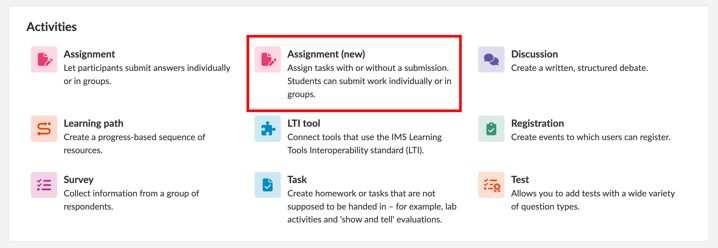
The new Assignment tool is now available to all itslearning customers as an opt-in pilot. Teachers can create activities with or without student submissions from the same starting point. Assignments without submissions use the new interface; those requiring submissions continue to use the existing interface.
Task and Assignment remain available alongside each other during the pilot, and existing Tasks are unchanged. Read about the opt-in pilot.
This feature is part of the German Development Project (GDP), a collaboration between four German states and itslearning aimed at enhancing digital education in Germany through tailored product developments.
Learn more about the GDP roadmap and what other features you can expect to see.
For German readers, more details on the German Development Project are made available on our webpages.
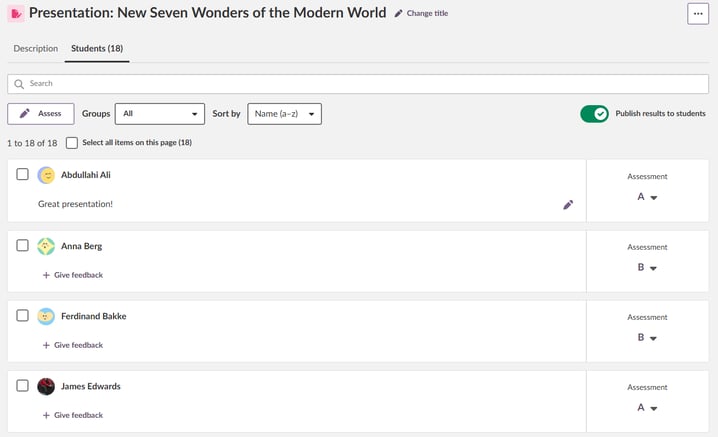
For customers already using new Assignment, we're introducing an updated assessment interface for assignments without submissions. Teachers can set grades or scores and write formatted feedback directly in the student list, while keeping other students' assessments and feedback in view. The existing Completed switch remains available.
We are disabling the "Your images" setting for affected student profiles after it was unintentionally enabled during a previous settings change. System administrators can re-enable the setting for the relevant profiles if needed.
Plan descriptions now retain supported text formatting and structure when opened in Immersive Reader from Plans.
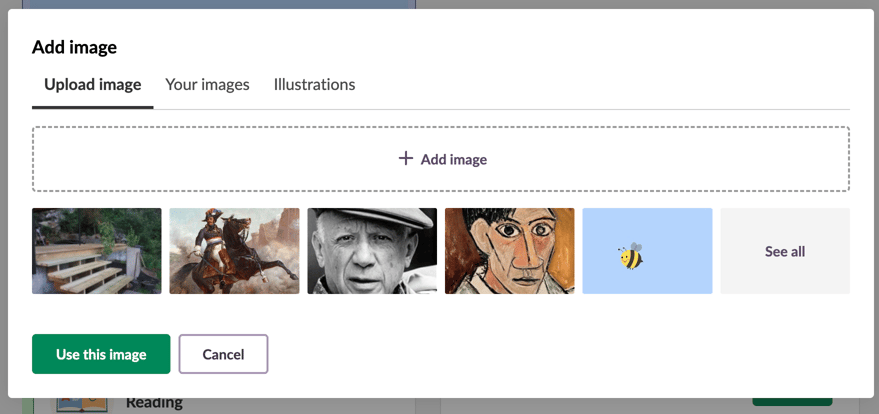
Recently saved images now appear directly below the upload area in the Upload image tab, making them easier to find and reuse.
Select an image to preview and crop it, or choose See all to browse your full collection in Your images.
| Area | Reference | Summary |
|---|---|---|
| Fileuploader | ITS-107262 | Fixed a bug where 'Your files' was not listed as a source in the file uploader on sites where uploading from cloud drives is disabled. |
| Page | ITS-106729 | Fixed an issue where tables lost their formatting when viewed in Page. Styled tables now display with their intended headers, borders and spacing. Custom tables, including borderless layouts, continue to display as before. |
| ITS-106372 | Fixed an issue in the updated version of Page that prevented videos in file blocks from being opened in a new tab. The user could only download the files. | |
| Planner | ITS-92885 | An unnecessary pop-up was showing when opening a tree-link from a plan description. |
The setting for Site trash can quarantine time has been moved from 'Administration > Global settings > Features and Security' to 'Administration > Trash can > Settings'.
The quarantine time is the safety period that an item must remain in trash before it can be permanently deleted. The change makes the configuration easier to find and manage in the context where it is used. No functionality has changed; only the location of the setting has been updated.
Quarantine time in for the course trash can remains in ???Administration > Global settings > Features and Security???, but is renamed to ???Set protection period for course trash can??? to reflect the user interface changes made to the course trash can earlier: April 2026 product updates.
Separate permission for Your images
Access to Your images is now controlled by its own profile permission instead of the Create courses permission. This allows users to access and reuse their saved images even when they are not allowed to create courses. The profile setting is found in the Files section.
When a resource is used in multiple plans, teachers will now see a link when opening the resource in Play Plan. Selecting the link displays all plans where the resource has been added.
This link is only visible to teachers and is not shown to students.
.png?width=650&name=Screenshot%202026-10-07%20at%2016.26.08%20(3b6823a6-7a56-4758-b81f-d87093c584ba).png)
Teachers and administrators can now create course events for Information Hub courses directly from the course homepage. The option is available in the course description block.
.png?width=300&name=Screenshot%202026-06-04%20at%2014.33.32%20(94eb6acf-1bb4-4d07-bea5-13563a6f4ab6).png)
Students and teachers can now comment on announcements in Class courses, making it easier to ask questions and join discussions. Teachers can enable or disable comments for individual announcements and choose whether to receive notifications about new comments.
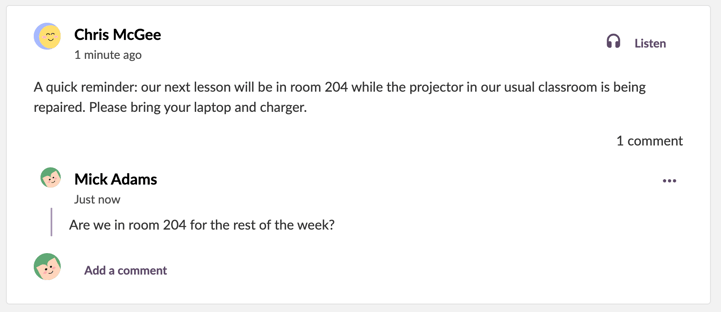
Teachers can now post a single announcement written in Class to multiple courses at once. The updated workflow makes it clear which courses the announcement will be shared with, with improved accessibility throughout.
Shared announcements can be updated across all destination courses, and teachers can choose whether to remove an announcement from the current course or from all courses where it was posted.
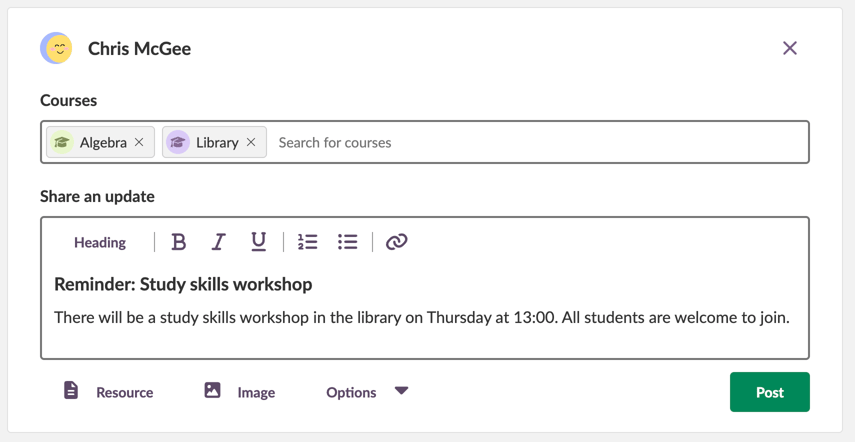
Teachers can now attach an image to an announcement in Class using the new Image button. The image can be uploaded, reused from Your images, or selected from Illustrations. Uploaded and reused images can also be cropped before posting.
Students and teachers can select the image in a published announcement to open it in a full-screen view.
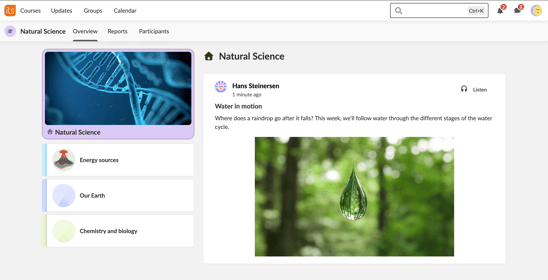
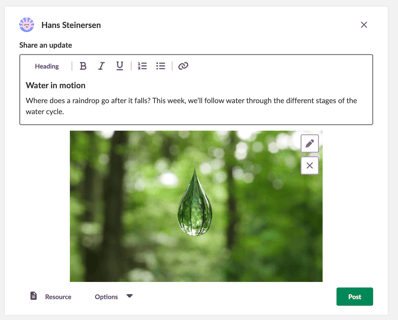
The updated announcements interface is currently available in Class courses only. We'll continue to improve it before making it available in courses with other focuses.
| Area | Reference | Summary |
|---|---|---|
| iMathEQ | ITS-106739 |
In tests that were updated to the new Test tool. Alternatives using Wiris math formulas were sometimes not showing correctly for students and for the teacher in preview mode. |
| Participants Page | ITS-91487 |
The icon for items that are automatically updated, was incorrectly showing on manually created course groups. This was fixed. |
| Area | Reference | Summary |
|---|---|---|
| Test 2.0 | TT-6142 |
When updating a legacy test (Test 2) to the new test tool (Test 3). If answers were separated with commas in the legacy test, the correct answer could be incorrectly put inside quotation marks after update, which caused an issue with the correct answer being recognized. This was fixed. |
We are phasing out Note and moving existing content to Page.
As the first visible step in this transition, teachers will see an information banner when creating a new note or editing an existing one. The banner links to details about the migration and when it will happen.
Migration will take place in stages between 1 and 14 November 2026. Teachers can continue using Note until migration starts for their site. Existing notes will be migrated automatically; teachers do not need to take any action.
We recommend creating new content with Page now. Read more about the transition in our blog post.
| Area | Reference | Summary |
|---|---|---|
| Course catalogue | ITS-107202 |
Fixed a bug where users got an error when trying to enrol into a course. |
| Planner | ITS-106745 |
Fixed an issue affecting plans with "differentiated plans" setting enabled. On these plans it was not possible to assign an element (e.g. a task) to a course group. |
| Area | Reference | Summary |
|---|---|---|
| Assessment record | ITS-106443 |
Fixed an issue in Assessment record. In a course with no students, it was not working to edit or delete an assessment. |
| IMS-ES | ITS-106348 |
Made an update to the list of courses after searching for a course. We now more clearly show when a course is created by an integration. |