
WHY ITSLEARNING
See why schools choose a European LMS designed for education over generic platforms.
See why schools choose a European LMS designed for education over generic platforms.
itslearning empowers teachers and helps all students reach their full potential.

Translation generated by an AI translation service
Teachers use assignments and tasks in many different ways. Some activities require students to hand in work, while others are designed to encourage participation, track completion or support classroom discussions.
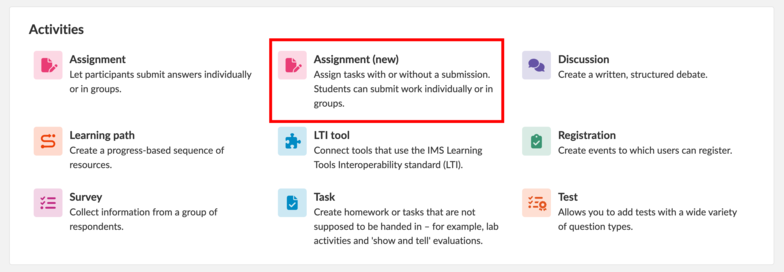
With separate Task and Assignment tools, teachers often need to decide which tool to use before they can even start creating a student work.
That’s why we’re moving towards a combined solution: one Assignment tool where student work starts from the same place, making it easier to create, manage and assess student work, regardless of how learning happens.
Available as an opt-in pilot
On 28 October 2026, we’re releasing the first part of the new Assignment tool as an opt-in pilot. This means you can choose to try it while we continue to improve it. Tasks and Assignments will continue to work side by side during the pilot.
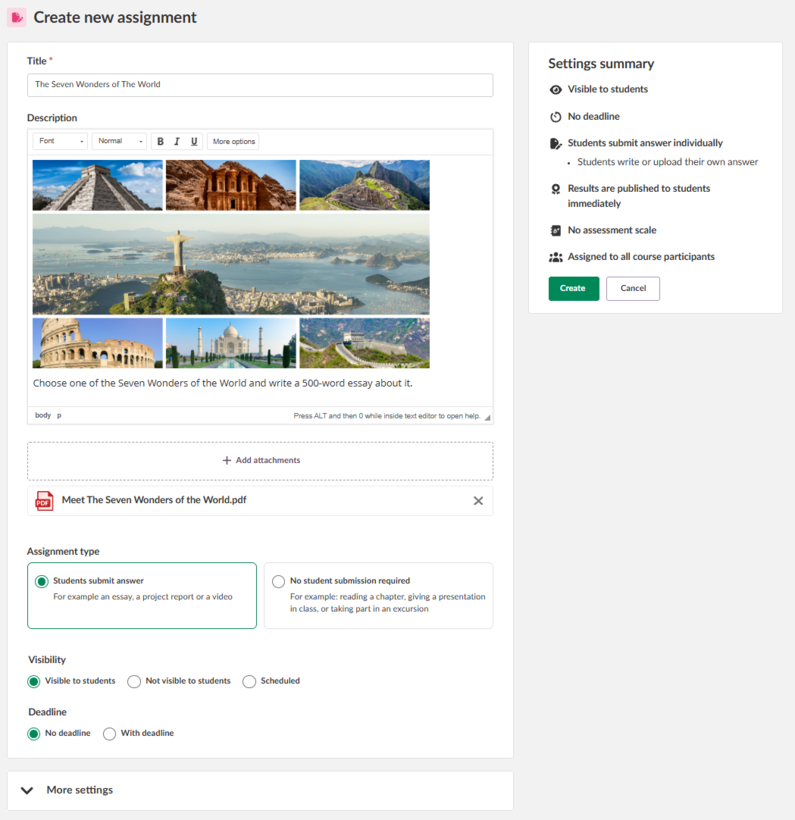
When creating an assignment, teachers choose between two options:
Existing Tasks require no action from teachers, and they remain unchanged during the pilot. We plan to merge Tasks into the new combined solution in Q1 2027. When that happens, Tasks that do not require student submissions will be migrated automatically. After migration, they will open as no-submission assignments, with their content and relevant settings preserved. Existing Task links will automatically redirect to the corresponding Assignment.
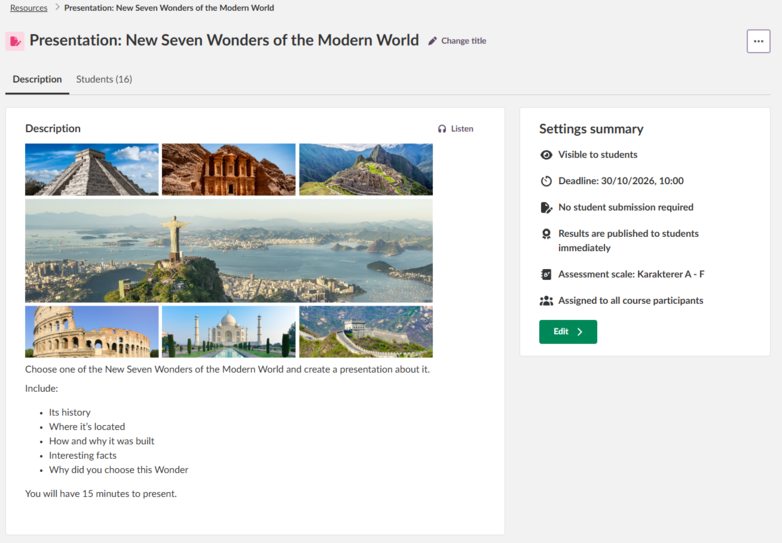
The updated Assignment supports different teaching approaches. Teachers can create activities where students:
submit written answers or uploaded files
complete a task independently
receive an individual copy of a file to work on
take part in a teacher-led classroom activity
receive assessment and feedback without submitting work digitally
A class presentation, a reading activity or a discussion task are good examples. Teachers can assess them directly in the Assignment tool. Students do not need to submit a file, but you still have assessment scales, feedback options and progress tracking.
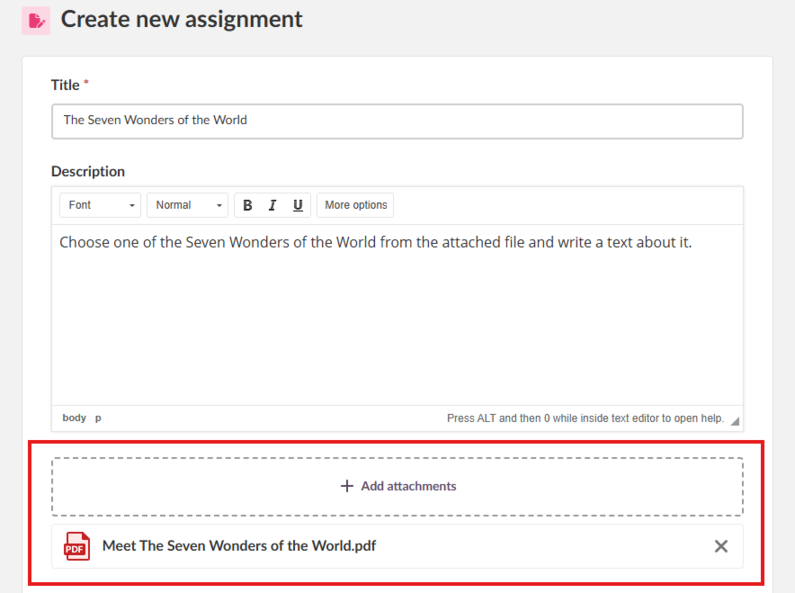
Teachers can use files as supporting material for the activity or as a template for completing a specific assignment.
In the Assignment tool, you can upload files containing information or supporting materials under + Add attachments.
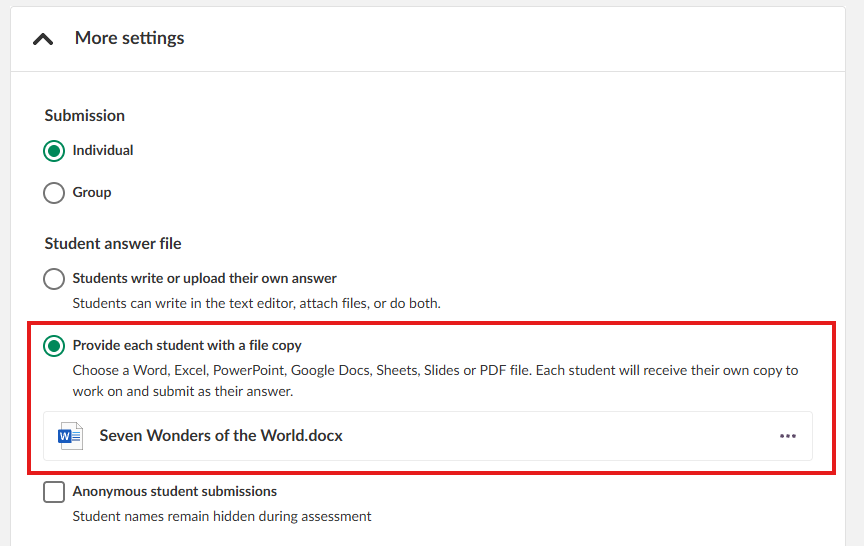
Under 'More settings', teachers can find a very useful assignment feature: Provide each student with a file copy. This option creates a separate copy of the document for every student in the course, allowing them to complete it directly without having to download or re-upload anything.
In the student view, clicking Answer assignment opens the document in a new tab. Students can work directly in the Word document without needing an Office account. Their work is saved automatically when they close the tab, so they can return later and find their answers exactly as they left them. Once they have finished, they simply click Submit to send their work to the teacher for review.
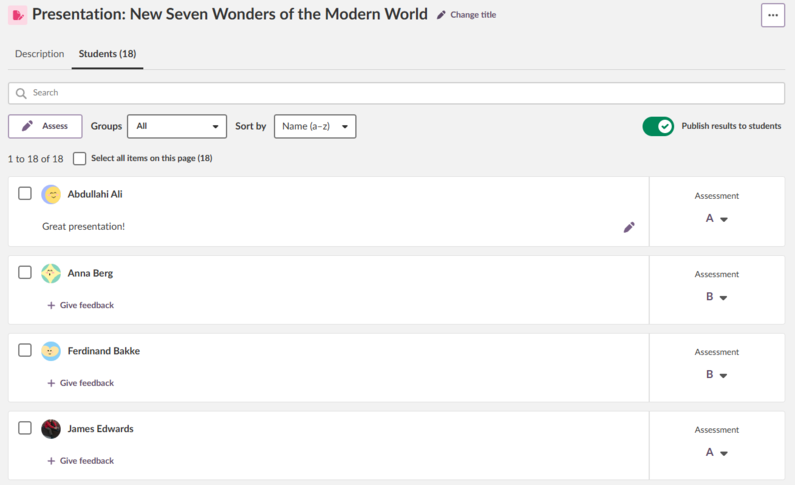 Teachers can continue assessing learning activities in the ways they already know and trust. They can:
record grades and feedback when no digital submission is required
choose when results become visible to students
link learning objectives directly to assignments
This is useful for presentations, discussions, practical exercises and observations, where learning happens in the classroom rather than through a submitted file.
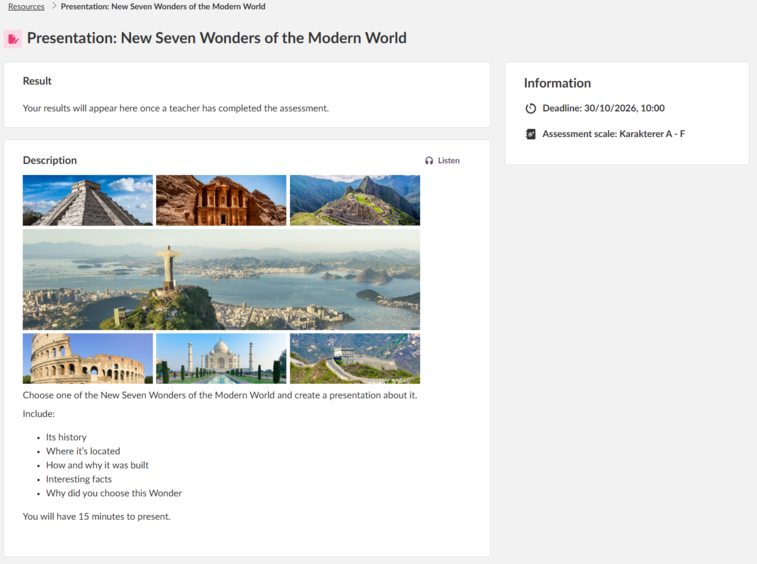
Student View from the 'No student submission required'
Starting in the pilot phase, students will see the new interface only for assignments that do not require a submission, so some pages may look different. Assignments that require students to submit their work will continue to use the existing interface.
When Tasks are merged into the Assignment tool in Q1 2027, assignments that do not require a submission will continue to use the new interface, while assignments that require students to submit their work will remain in the existing interface.
We’re moving towards a single Assignment tool, so teachers can spend less time deciding which tool to use and more time focusing on teaching and learning.
The new tool offers a simpler, more consistent workflow from start to finish, with a new interface for assignments that do not require a submission.
For more information, read our support article.
This feature is part of the German Development Project (GDP), a collaboration between four German states and itslearning aimed at enhancing digital education in Germany through tailored product developments. Learn more about the GDP roadmap and what other features you can expect to see. For German readers, more details on the German Development Project are made available on our webpages.