WHY ITSLEARNING
See why schools choose a European LMS designed for education over generic platforms.
See why schools choose a European LMS designed for education over generic platforms.
itslearning empowers teachers and helps all students reach their full potential.

Translation generated by an AI translation service
We publish release notes a few days before each mid-week update. If you are reading this, the update will be available soon. Please note that release dates may change. Some features are also released gradually, which means not all users will see them at the same time. If a feature you expected is not yet available, it will appear soon.
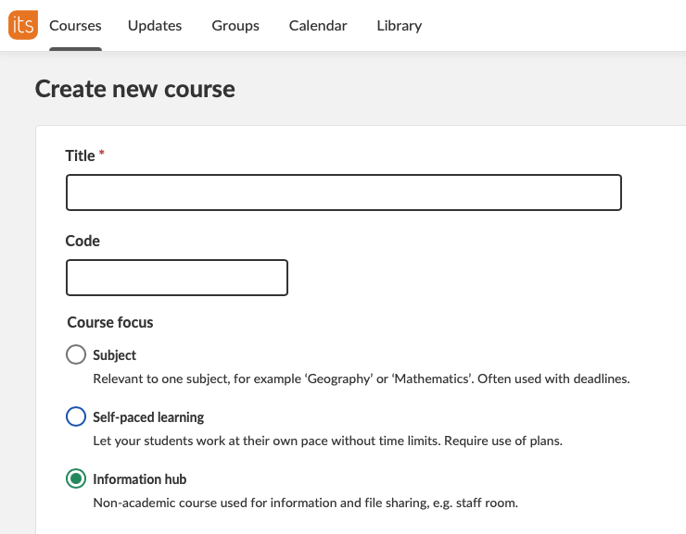
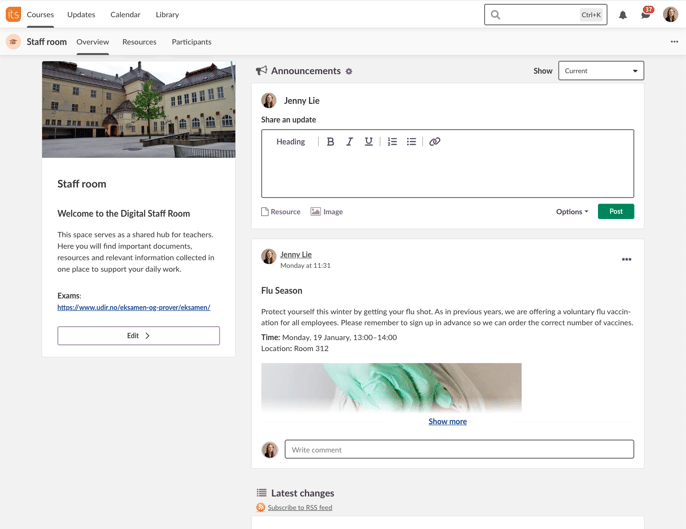
We're introducing a new course focus in itslearning: the Information Hub. It is designed for communication and resource sharing, giving schools a dedicated space to connect with students, teachers and parents.
Unlike our other courses, this is not an academic course. Therefore, we do not display plans or task lists, which helps avoid empty pages and empty states. Plans and reports will also not be available in the course menu.
Teachers and administrators can either create an information hub course from scratch, or convert an existing course using the Course Properties and Features settings.
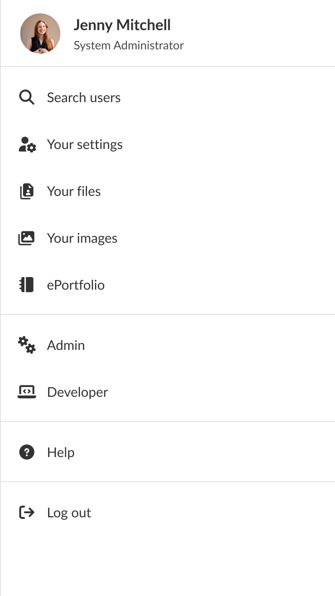
As part of our ongoing effort to modernize the itslearning user experience, we have updated the Personal Menu with new icons.
Summer 2025, we introduced a refreshed icon set across itslearning. With this update, the Personal Menu now aligns with the same modern visual style.
| Area | Reference | Summary |
|---|---|---|
| Parents | ITS-104645 | Fixed an issue that could cause an access denied error when a parent tried to open a resource from their child's plan. |
| Area | Reference | Summary |
|---|---|---|
| CKEditor | ITS-103504 |
Fixed an issue that caused certain alignment settings for pictures to not work correctly. |
| Learning Path | ITS-104488 |
Fixed an issue that caused some users to see "waiting for evaluation" when trying to go to the next step in a learning path. |
| Planner | ITS-104482 |
Fixed an issue that caused the "topic fields" section to not show in planner settings. |
| ITS-104410 |
Made a fix to prevent elements added to plan from being automatically moved to a topic folder. |
| Area | Reference | Summary |
|---|---|---|
| Survey | ITS-104449 |
Fixed an issue that caused some users to not be able to open surveys. |
It is now possible to see which of your students have not yet taken a test. For this, choose the option "Not started" from the Show filter, which by default shows the submitted attempts.
| Area | Reference | Summary |
|---|---|---|
| Test 3.0 | TT-6091 |
Fixed an issue that caused answer alternatives in open answer questions to not be imported correctly from the old version of Test. |
| TT-5834 |
When an answer alternative in an open answer question contained a decimal, the answer alternative was not working correctly. This was fixed. |
We have updated the Features and Security page that system administrators can use to manage site-wide settings. This update primarily focuses on a modern look and feel and a clearer grouping of all settings on this page.
.png?width=661&name=image-20260311-125526%20(4fd985c5-5761-42a6-9aa4-6a445efe32f2).png)
We have updated the Admin>Courses page where administrators can manage courses for their organisation. In addition to an updated look and feel, a couple of improvements have been made.
.png?width=927&name=image-20260306-145408%20(6c8b6dd1-7d4f-4af1-82cb-e7f9c06dac89).png)
We have updated the internal and external course catalogue with a modern look and feel and additional possibilities.
The internal course catalogue allows users on a site to find published courses and register for them when they are interested. The external course catalogue is available for anonymous users that do not have an account on a site. When these users find a course of their interest, they can create an account as part of the registration process.
Please note that the external course catalogue is by default disabled after the release, as we now require terms and conditions to be in place. See the system administrator documentation linked below to learn how to enable it again.
.png?width=820&name=0689fce9-1f44-46cf-a810-d264ad50c10e%20(6244b142-d29a-4f05-beb8-de047eee821a).png)
For more information, please see the support documentation:
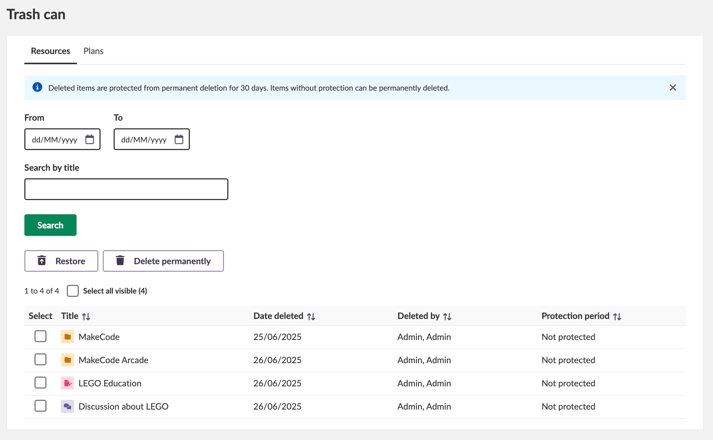
We have updated and modernised the Trash Can in itslearning to provide better overview and a more user-friendly experience.
The update includes improvements to accessibility as well as an updated visual design. The result is a clearer and more structured Trash Can that makes it easier to see which resources have been deleted and to quickly restore them when needed.
What this means for you:
| Area | Reference | Summary |
|---|---|---|
| Course Templates | ITS-101385 |
Users were not able to change terms when creating a new course based on a template course. This was also an issue when applying a template. It was fixed. |
| Office 365 Web Service | ITS-103298 |
In courses with MS Teams integration activated. Users were not able to open a plan from MS Teams This was fixed. |
| Resources | ITS-103803 |
Fixed an issue with sorting and pagination on the permissions view in a course. |