Teachers
Spend less time on admin and more time teaching. Get practical support that makes digital learning simpler, clearer and more engaging.
Administrators
Automate processes, strengthen security and ensure your systems run smoothly with minimal manual intervention.
School Leaders
Gain the data, structure and implementation support needed to drive adoption, demonstrate impact and maximise return on investment.
Students
Give students access to the right content, tools that match their needs, and a platform that feels easy to use from day one.
Before the first day, everything is already in place
- Courses structured and ready
- Content organised and easy to find
- Students supported at the right level
- Staff aligned across subjects and schools
What’s new this school year
New & upcoming features
09 June 2026 - 14:30 - 15:30 CEST
Get ready for the new school year with a live walkthrough of the latest and upcoming features in itslearning. Join us for a practical look at the updates that matter most for teachers, school leaders and administrators, including upcoming AI developments and a live Q & A.
AI Teacher Toolkit
The AI Teacher Toolkit brings AI assistance directly into itslearning, where teachers already work. It supports content creation and lesson planning, including the ability to generate assignments at three levels of difficulty to meet every student’s needs. For schools taking their first steps with AI, it offers a practical starting point that saves preparation time while keeping teachers in control.
Watch the webinar recording to see the Teacher AI Toolkit in action and learn how schools can use AI to support teaching and learning.
Class Course*
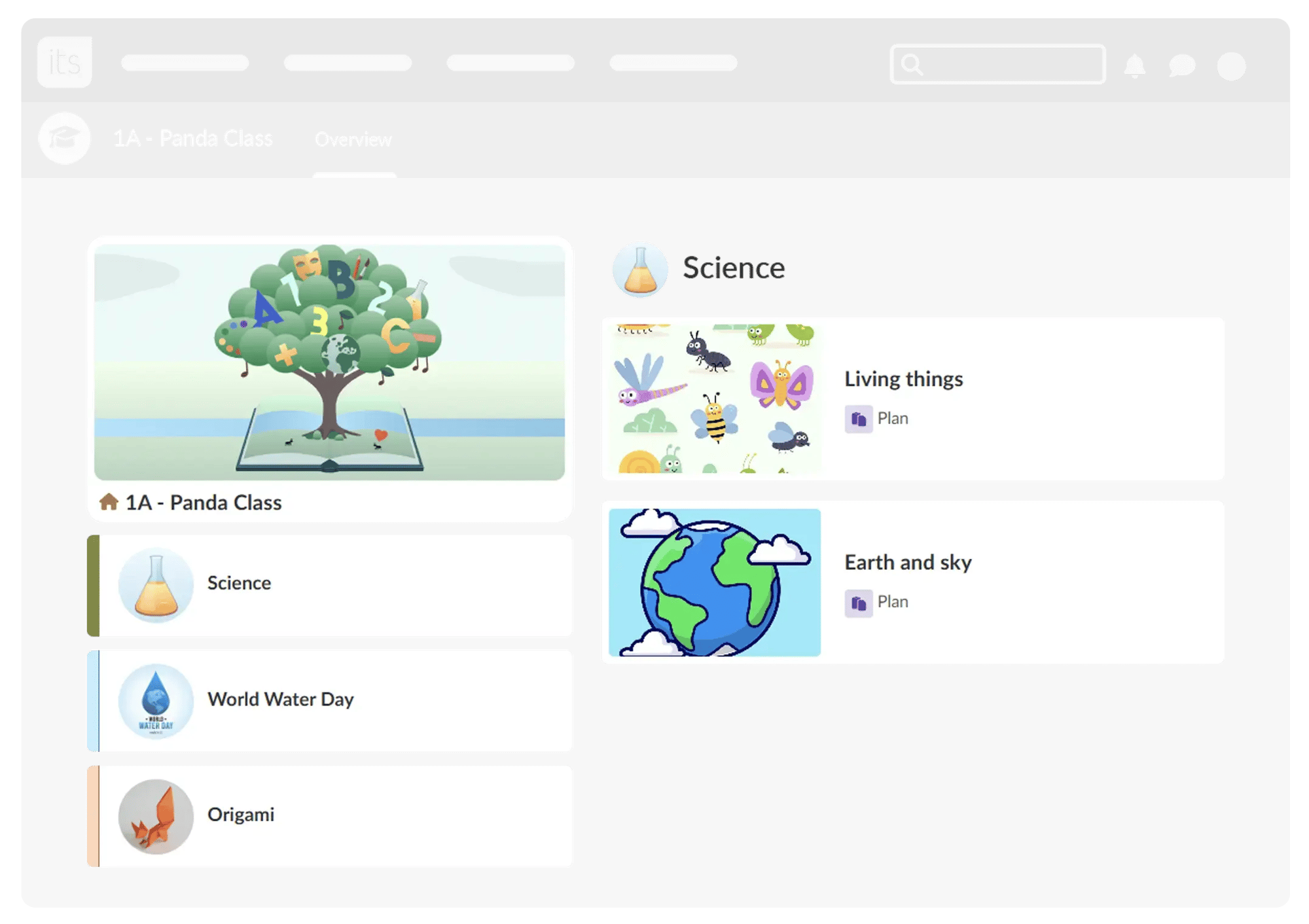
A new course focus that gives every class a single, shared space, regardless of how many subjects are taught within it. While designed with younger learners and primary education in mind, it can support any age group or Special Educational Needs and Disabilities (SEND) setting where a simpler, more guided learning experience is beneficial. It removes the need for students to navigate between separate courses and is designed to work well on tablets. The result is a more focused experience for learners and less structural overhead for teachers.

Built for every role in your school
Less time preparing. More time teaching.
Create lesson content in less time
The AI Teacher Toolkit generates worksheets, quizzes and activities based on your course goals.
A structured view for primary classrooms
Class Course* organises multiple subjects into one clear, topic-based view, so students always know what to focus on.
Content that works for every learner
Differentiated Plans let you assign a plan to individual students or groups..
Richer content, simpler to build
The new Page* experience makes it easy to create engaging lessons with media, structure and clarity.
One tool for student assignments
Assignments* now support both submissions and completion-based tasks in one simple workflow.
Manage course content
The new Resource Page makes it easy to find, organise, and update materials, with improved search, bulk actions and simple drag-and-drop tools.
Learn moreOther features
Unite curriculum, collaboration and staff development.
Professional learning, made accessible
The Course Catalogue* allows staff to browse and enrol in courses independently.
Learn moreCross-Site Course Templates*
Share a course structure and content with teachers at another school or even at country level, saving time and improving consistency.
A home for non-curriculum content
The Information Hub provides space for onboarding, policies and staff communication.
Learn moreAI your school can trust
Built on secure infrastructure with full organisational control and no stored outputs.
Other Features
Easy platform management with less manual work.
Accessibility across the platform
Improved navigation, performance, and WCAG 2.2 AA compliance.
Structured learning data
Track and connect learning activity securely through the Learning Record Store*.
Cleaner data management
Automated deletion ensures your system stays organised without manual effort.
Other Features
Simple, accessible learning for all students.
Their work stays with them
With Your Files*, students can access past assignments anytime, even after courses end.
Content that fits different learning styles
With the new Page* User Interface, it is possible to use read-aloud tools and custom font settings support a wide range of needs.
Courses that match their goals
Students can browse and join relevant courses independently through the Course Catalogue*.
Learn moreA platform that feels personal
Profiles and avatars* create a more engaging and familiar experience.
Learn moreA space students work together
Collaboration folders* let students create, edit and organise content as a group.
Other features
Save time, stay organised and support every learner
AI-powered teaching support
Create lesson content, assignments and assessments in minutes
Better course structure
Organise subjects, topics and resources more clearly
Improved accessibility
A more inclusive experience for every student
Stronger collaboration
Share courses and resources across teams and schools
* This feature is part of the German Development Project (GDP), a collaboration between four German states and itslearning aimed at enhancing digital education in Germany through tailored product developments. Learn more about the GDP roadmap and what other features you can expect to see. For German readers, more details on the German Development Project are made available on our webpages.