WHY ITSLEARNING
See why schools choose a European LMS designed for education over generic platforms.
See why schools choose a European LMS designed for education over generic platforms.
itslearning empowers teachers and helps all students reach their full potential.

Translation generated by an AI translation service
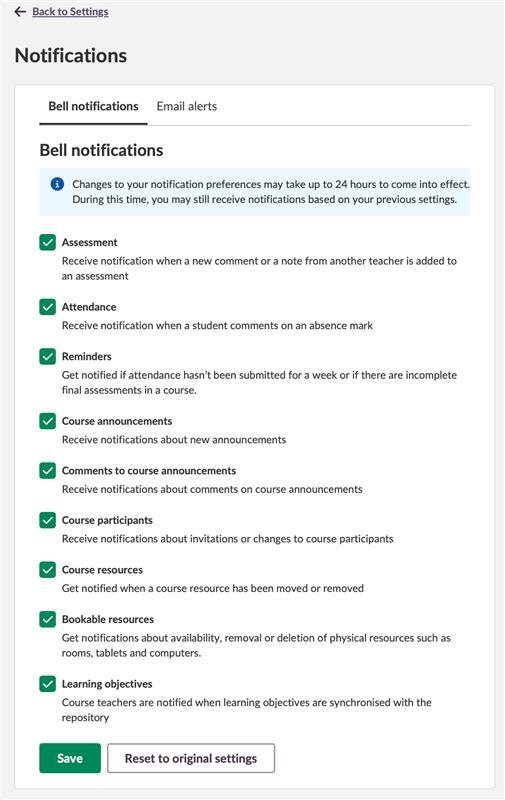
Notification Preferences let users control which notifications they receive and how they receive them. The settings are divided into different sections. Some apply to the notification bell, while others apply only to email alerts.
Notification categories control what appears in the notification bell. Users can choose which updates they want to see, such as assessments, attendance, course announcements, or learning objectives.
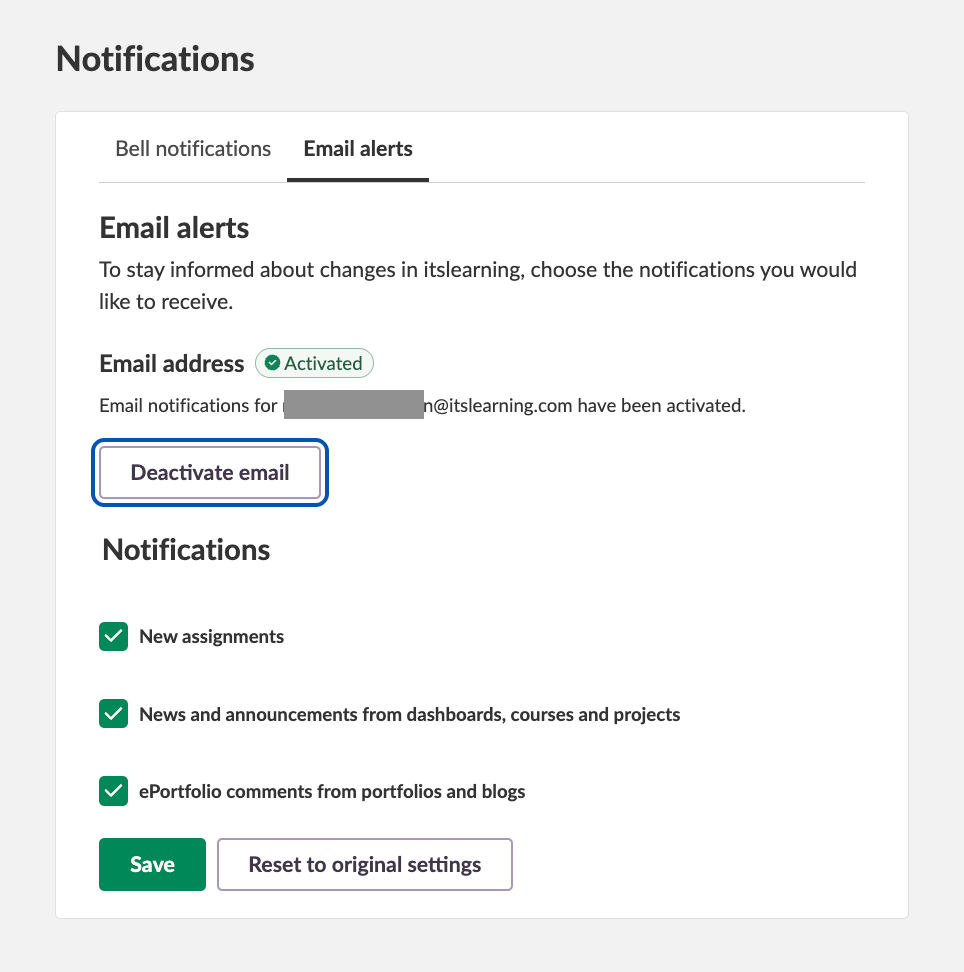
Email alerts apply only to instant messages. They are not affected by notification categories. This is an existing feature included in the same settings, but it works independently.
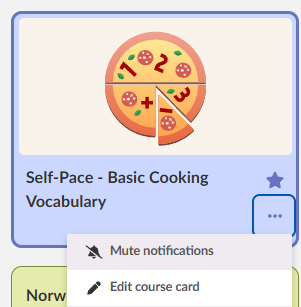
Users can mute notifications from specific courses if they do not need updates from them.
This is useful for users in many courses, such as administrators or teachers working with shared content. They may not want notifications from every course. Courses can be muted from the course card page.
Different roles have different notification needs. Some users are part of many courses but only need limited updates.
Controlling notification categories and muting courses helps reduce unnecessary notifications.
The steps below apply to notification categories only. To mute a course, go to the course card page.
Notification Preferences is available for all teachers and administrators.
For more details, read our support article.
This feature is part of the German Development Project (GDP), a collaboration between four German states and itslearning aimed at enhancing digital education in Germany through tailored product developments.
Learn more about the GDP roadmap and what other features you can expect to see.
For German readers, more details on the German Development Project are available on our webpages.