WHY ITSLEARNING
See why schools choose a European LMS designed for education over generic platforms.
See why schools choose a European LMS designed for education over generic platforms.
itslearning empowers teachers and helps all students reach their full potential.

Translation generated by an AI translation service
We publish release notes a few days before each mid-week update. If you are reading this, the update will be available soon. Please note that release dates may change. Some features are also released gradually, which means not all users will see them at the same time. If a feature you expected is not yet available, it will appear soon.
Teachers can now choose from pre-defined illustrations provided by itslearning instead of uploading their own images. This makes it easy to add a quick visual element to represent the course while keeping a consistent style across courses.
Availability is controlled by your site administrator. If you do not see all illustrations in this tab, K-12 illustrations may be disabled for your site.
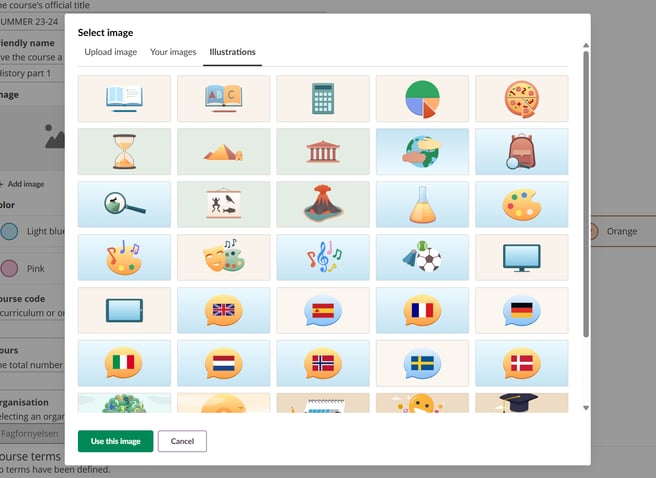
See the user guide for illustrations for more details.
This feature is part of the German Development Project (GDP), a collaboration between four German states and itslearning aimed at enhancing digital education in Germany through tailored product developments.
Learn more about the GDP roadmap and what other features you can expect to see.
For German readers, more details on the German Development Project are made available on our webpages.
You can now save uploaded images to a personal library for reuse. This lets you build a consistent collection of course images that are always available when you need them.
Currently available for course images, will be rolled out for use in other features this year.
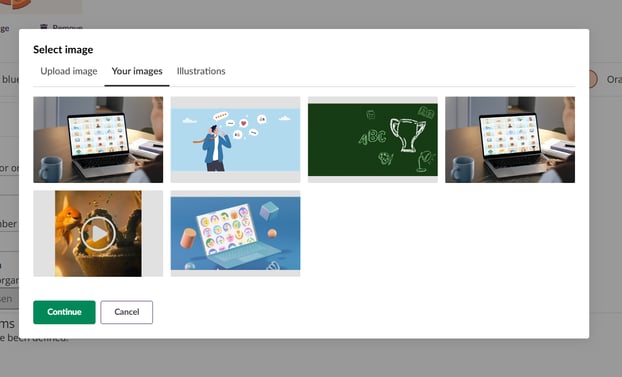
See the user guide for the image selector for more details on how to use Your images.
This feature is part of the German Development Project (GDP), a collaboration between four German states and itslearning aimed at enhancing digital education in Germany through tailored product developments.
Learn more about the GDP roadmap and what other features you can expect to see.
For German readers, more details on the German Development Project are made available on our webpages.
Users can now choose an avatar as their profile picture instead of uploading an image. Avatars are pre-defined illustrations that provide a consistent, recognisable alternative to photos. Administrators can also assign avatars to users who have not uploaded a profile picture, replacing the default grey silhouettes with more engaging profile visuals.
.png?width=548&name=image-20260123-123152%20(21bc42cd-b6bc-46fb-8b8a-53739abea90f).png)
See the user guide for avatars for more details.
This feature is part of the German Development Project (GDP), a collaboration between four German states and itslearning aimed at enhancing digital education in Germany through tailored product developments.
Learn more about the GDP roadmap and what other features you can expect to see.
For German readers, more details on the German Development Project are made available on our webpages.
We've added our accessible image cropping tool to profile picture uploads. Crop and reposition the image to choose what's visible before saving.
.png?width=466&name=image-20260123-115048%20(e67ce3fc-dae3-4f77-a02b-de7e7de3b841).png)
See the user guide for profile pictures for more details.
This feature is part of the German Development Project (GDP), a collaboration between four German states and itslearning aimed at enhancing digital education in Germany through tailored product developments.
Learn more about the GDP roadmap and what other features you can expect to see.
For German readers, more details on the German Development Project are made available on our webpages.
We've updated the Assessment portfolios to use a frameless layout. This makes the interface simpler, faster, and more consistent with the rest of the platform.
Learn more about our ongoing work to remove iFrames in itslearning.
| Area | Reference | Summary |
|---|---|---|
| Assignment | ITS-102277 |
There was an issue in the Assignment report, where if you had more than 10 assignments in the view and scrolled to the right, there would be a grey screen. This was fixed. As part of this fix, the column headers were removed. The product team is reviewing how this page can be improved in the future, including reintroducing visible headers in a better way. |
| ILP | ITS-99823 |
In the ILP tool. There was a bug that could cause midterm reviews to not open properly if they were not on the first page in the list. |
| LTI | ITS-102342 |
Fixed an issue related to setup of LTI 1.3 modules. There was an inconsistency with the field "Target Link URI". |
| Planner | ITS-98633 |
Fixed a bug that could cause plan resources to not be copied correctly when copying from a template course to another course. |
| Area | Reference | Summary |
|---|---|---|
| Link | ITS-102758 |
Fixed an issue in Resources. Some users were not able to access links. |
A new Appearance category has been added to the Edit Global Settings page under Administration. All configuration options related to visual customization are now grouped in this dedicated section.
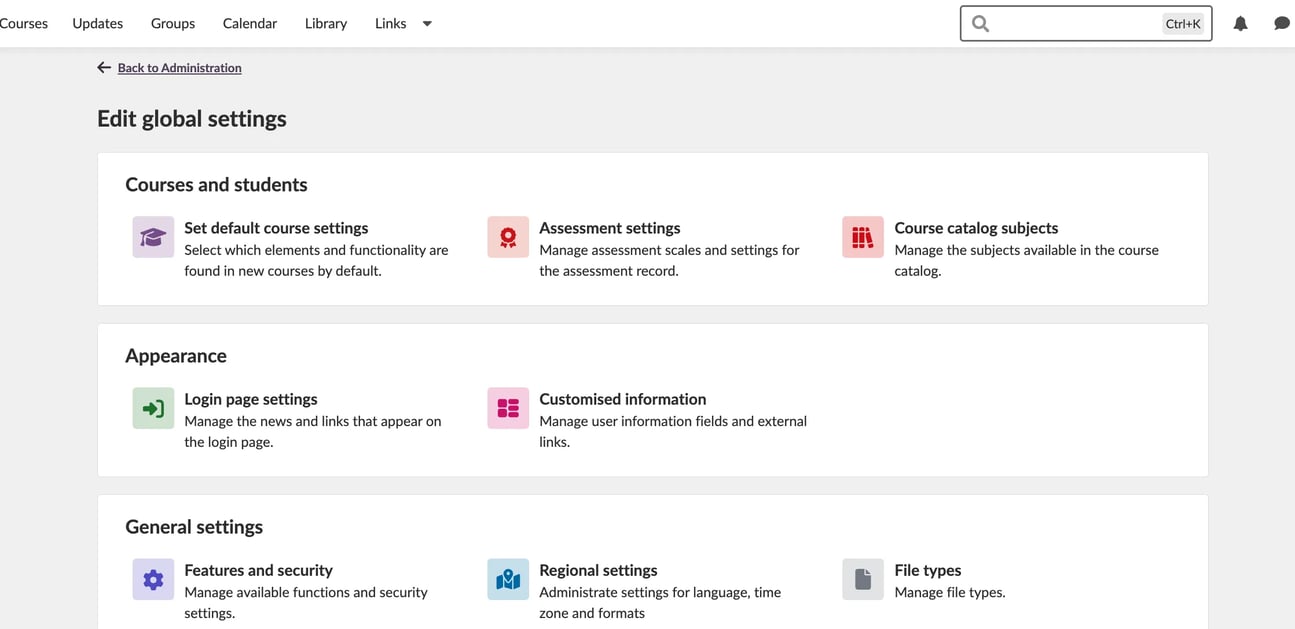
As part of this update, the following settings have been moved into the new Appearance category:
This change improves clarity and makes it easier for administrators to manage all appearance???related settings in one place.
| Area | Reference | Summary |
|---|---|---|
| Assessment record | ITS-102297 |
After clicking on an assignment in the Assessment record report. Using the "back to Assessment record" link triggered a menu at the top to not display correctly. |
| Native Login | ITS-102457 |
Fixed an issue that in some cases could trigger a not authorized or customer not found error when logging in via the app. |
| Notifications | ITS-102551 |
Fixed an issue that caused users on some sites to experience an error when clicking the notifications bell. |
| Area | Reference | Summary |
|---|---|---|
| Announcements | ITS-102414 |
Fixed an issue where the header bar above an announcement did not load correctly for students, which meant that they could not find the option to start the immersive reader. It also meant the student could not see who made the announcement. |
| Planner | ITS-102550 |
Some icons were not displaying correctly in planner, resources etc using the latest version of Safari (26.2). This was fixed. |
| Area | Reference | Summary |
|---|---|---|
| Test 3.0 | TT-6050 |
After clicking "show more" to see all text, on a long text that was submitted in Test. There was an issue with displaying certain extended characters. |
| Area | Reference | Summary |
|---|---|---|
| Course Templates | ITS-102341 |
Fixed a bug in Planner. When applying a template to a course, and when creating a new course based on a template. The planner dates could be copied from the template when they should not be copied. |
| Planner | ITS-102344 |
Fixed a bug in Planner, where the start and end date setting did not work properly in some languages. |