WHY ITSLEARNING
See why schools choose a European LMS designed for education over generic platforms.
See why schools choose a European LMS designed for education over generic platforms.
itslearning empowers teachers and helps all students reach their full potential.

Translation generated by an AI translation service
We publish release notes a few days before each mid-week update. If you are reading this, the update will be available soon. Please note that release dates may change. Some features are also released gradually, which means not all users will see them at the same time. If a feature you expected is not yet available, it will appear soon.
SCORM player transition
itslearning is transitioning to a new SCORM player. The current player (Icodeon) is being replaced with Rustici Engine, a third-party solution. This change affects both how SCORM is delivered technically and how it is offered commercially.
What is changing and when
Impact on users
Users who are part-way through a SCORM course at the time of migration will lose their bookmark. The upgrade is a technical transition and does not introduce new functionality.
Commercial change
For customers currently using SCORM, the new player is included at no additional cost for the remainder of the current contract period. At renewal, SCORM support becomes an paid optional add-on.
For questions, please contact your itslearning representative.
itslearning now supports font selection, giving users more flexibility to choose a typeface that best suits their reading preferences and accessibility needs.
Users can select from four available fonts to personalise their experience and improve readability across the platform.
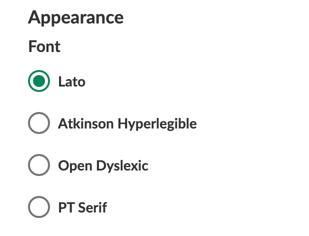
This feature will be turned on for all, but administrator can:
Read more about this update in this support article or check out the blog post.
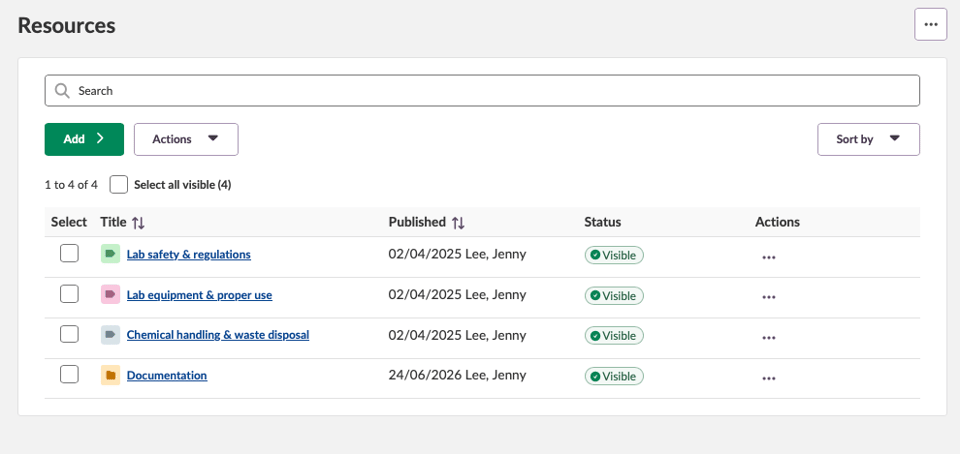
We are introducing new icons for topic folders in Resources to make it easier for users to distinguish them from regular folders.
| Area | Reference | Summary |
|---|---|---|
| Course catalogue | ITS-105386 |
In the course catalogue settings. The field for external terms and conditions was not large enough to hold long URL's. This was updated. |
| Area | Reference | Summary |
|---|---|---|
| Course Administration | ITS-105801 |
Implemented a permanent fix related to an issue where users may get an error when opening Admin > Courses, or when enrolling into a course. |
| Area | Reference | Summary |
|---|---|---|
| Test 3.0 | TT-6133 |
On smaller screens. The user may not have been able to see all question alternatives in the selection menu when setting up a test. |
Page has been updated with a new interface for creating and structuring course content. Over time, Page will become the common tool for content creation in itslearning, bringing together functionality from Page and Note.
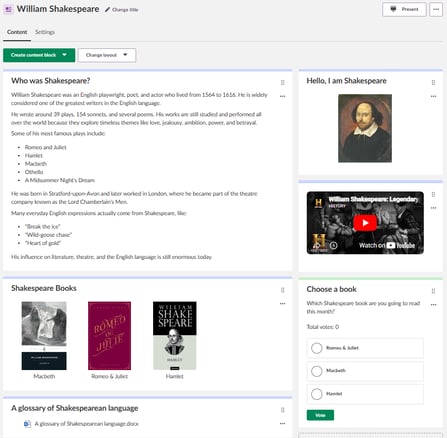
Teachers can build a Page using content blocks, including text and media, files, image galleries, polls, and RSS news feeds. Content blocks can be organised in one or two columns, moved within the Page, archived, restored, and colour-coded to give students a clearer structure.
The updated Page interface improves accessibility and responsiveness across device sizes, including better support for tablets. Text and media content blocks now include a Listen button, allowing students to open the content in Immersive Reader. Teachers can also connect learning objectives to a Page where learning objectives are enabled in the course. Existing Page content is carried over to the updated interface. Note content will be migrated to Page in a later phase, with more information shared ahead of the migration.
Some formatting changes may occur for existing content, but these are expected to be kept to a minimum. Existing folders in legacy file content blocks remain available in view mode, but folders can no longer be created or edited inside file content blocks.
This feature is part of the German Development Project (GDP), a collaboration between four German states and itslearning aimed at enhancing digital education in Germany through tailored product developments.
Learn more about the GDP roadmap and what other features you can expect to see.
For German readers, more details on the German Development Project are made available on our webpages.
It is now possible to add courses to the course catalogue as Unlisted. This will mean that the course cannot be found while browsing or searching the course catalogue. Instead, the direct link or QR code of the course is needed to be able to enroll.
Courses will from now on by default be shared as Unlisted, to make the availability of a course in the course catalogue an even more conscious choice.
.png?width=523&name=image-20260615-061849%20(82c93099-2b93-4d87-9986-cc3c948ac8ee).png)
Plan settings are now preserved when switching course focus. If you return to Subject, the plan type automatically switches back to your previous plan workflow.
| Area | Reference | Summary |
|---|---|---|
| Course Administration | ITS-105206 |
When searching for courses and applying a filter in the course administration tool. Due to a bug the numbers indicating total pages and number of search results may have been incorrect. This was fixed. |
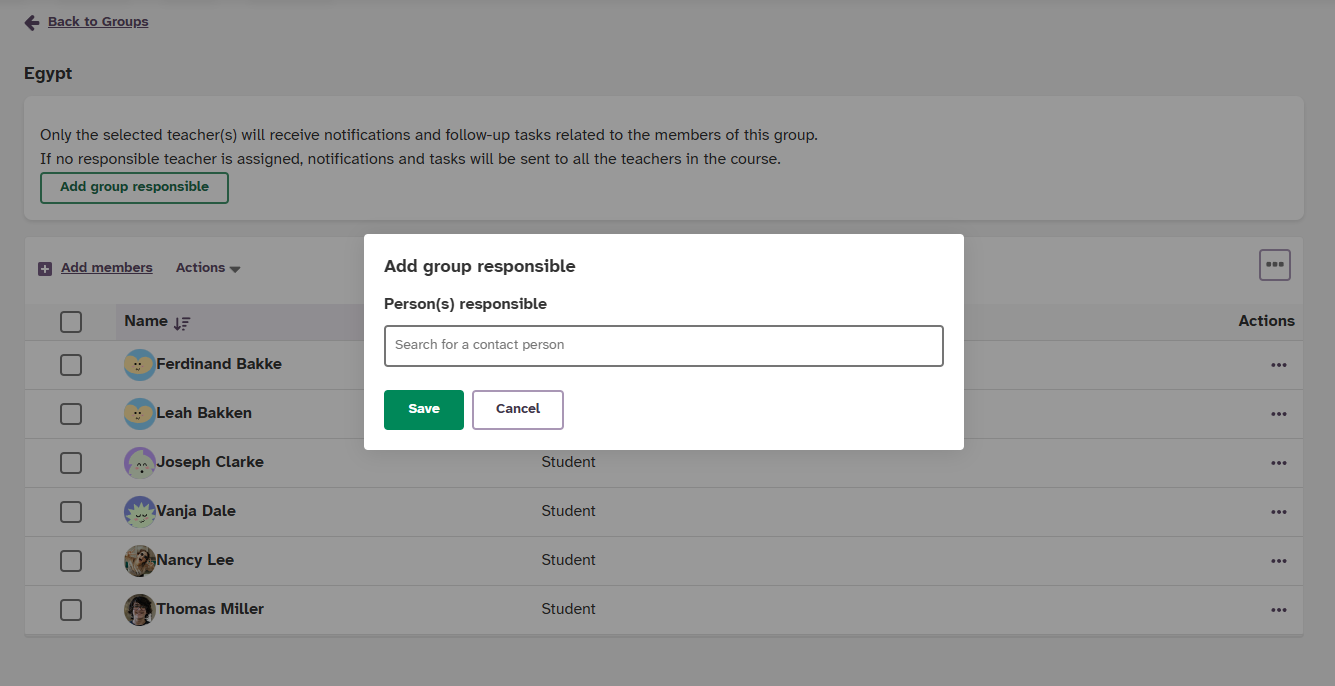
In some courses, multiple teachers are involved, but they don't always manage the same students. For example, in vocational education, different groups of students often start at different times throughout the school year, with a different teacher responsible for each intake.
You can now assign teachers to specific organization or course groups via the Groups tab on the course Participants page. This will only be possible if there is more than 1 teacher in the course.
When a teacher is assigned to a group:
We made two small usability improvements to the new course administration page:
In the new course catalogue, courses are now sorted on when they were last updated, with the most recently updated course first.
| Area | Reference | Summary |
|---|---|---|
| Assessment record | ITS-105180 |
After navigating from the assessment record to a legacy test (Test version 2), then using the link to go back to the assessment record. The user could see a "double top menu". This was fixed. |
| ITS-102936 |
Created a change to improve performance when opening the assessment record. In rare cases it may have been slow to open. |
|
| Assignment | ITS-105530 |
Fixed an issue that could cause a problem with editing in a new window when using Chrome on iOS. |
| Course Templates | ITS-89736 |
Fixed an issue for courses created by IMS-ES, where depending on if the original course contained LTI tools, in some cases users saw an error "element types cannot be copied". |
| Planner | ITS-105528 |
Fixed a bug that caused results to not appear in "from publisher" and "other sites" when browsing course templates. |
| Test 3.0 | ITS-102207 |
Fixed an issue that could cause learning objectives to not be correctly connected to questions when copying a test to another course. |
| Trashcan | ITS-105257 |
Courses set to be permanently deleted were in some cases not fully deleted from the trash can. |
Class is a new course focus in itslearning that gives students a simplified and more visual course view, while teachers continue to use the standard itslearning tools for planning, resources, assessment, and communication.
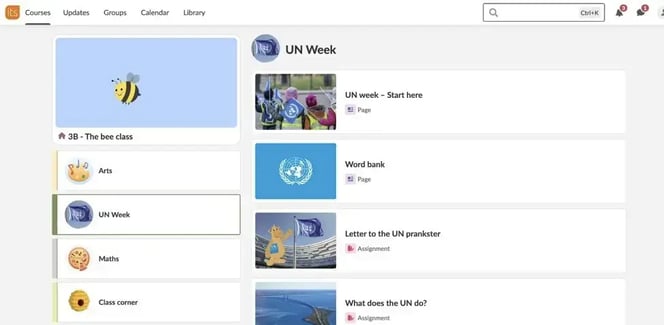
Teachers can organise subjects, projects, or themes as image-labelled topics on the main Class page. Each topic can show either resources or plans, depending on how the teacher wants to structure the content. The course menu can also be disabled for students, giving them a simpler navigation path through the course.
Class is primarily designed for primary schools, but can also be useful in short courses, second language classes, and other settings where simplified navigation helps students focus on the content.
This feature is part of the German Development Project (GDP), a collaboration between four German states and itslearning aimed at enhancing digital education in Germany through tailored product developments.
Learn more about the GDP roadmap and what other features you can expect to see.
For German readers, more details on the German Development Project are made available on our webpages.
itslearning delivers weekly updates to the platform, ranging from minor fixes to larger improvements in the user interface and underlying functionality. Release Note Sharing makes it easier for teachers, administrators, and staff to stay informed about recent changes.
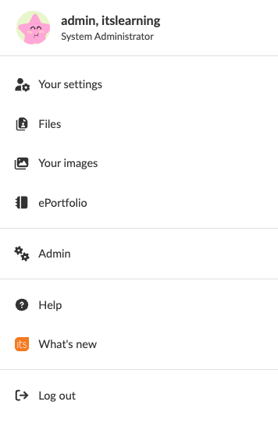
"What's new" in the Personal Menu
A new link is now available for admins, teachers, and staff, linking directly to the monthly product update overview.
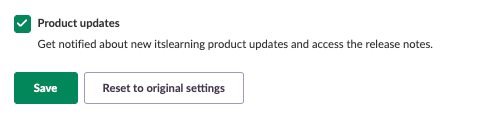
Notification Settings Update
In Notification settings you will now find "Product updates".
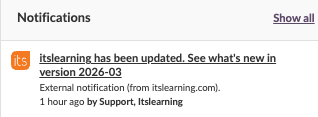
Weekly Product Update Notifications
Clicking the notification takes you straight to the current update for this month.
Read more about Release Note Sharing in this article.
It is now possible to allow students to start or finish a test after the deadline has passed. By default the setting "Close after deadline" will be checked when a deadline is entered, but teachers can uncheck this to allow late submissions.
.png?width=927&name=image-20260604-073218%20(d773f71a-8f93-4ef6-a43c-1a655e27aef6).png)
Students will be informed that the deadline has passed and that their submission will be marked as too late. Teachers will see in the overview of results which students have submitted the test after the deadline.
| Area | Reference | Summary |
|---|---|---|
| Notifications | ITS-104213 |
When clicking on the notification bell and "show all". There was an issue with the display of the top menu. This was fixed. |