
WHY ITSLEARNING
See why schools choose a European LMS designed for education over generic platforms.
See why schools choose a European LMS designed for education over generic platforms.
itslearning empowers teachers and helps all students reach their full potential.

Translation generated by an AI translation service
We publish release notes a few days before each mid-week update. If you are reading this, the update will be available soon. Please note that release dates may change. Some features are also released gradually, which means not all users will see them at the same time. If a feature you expected is not yet available, it will appear soon.
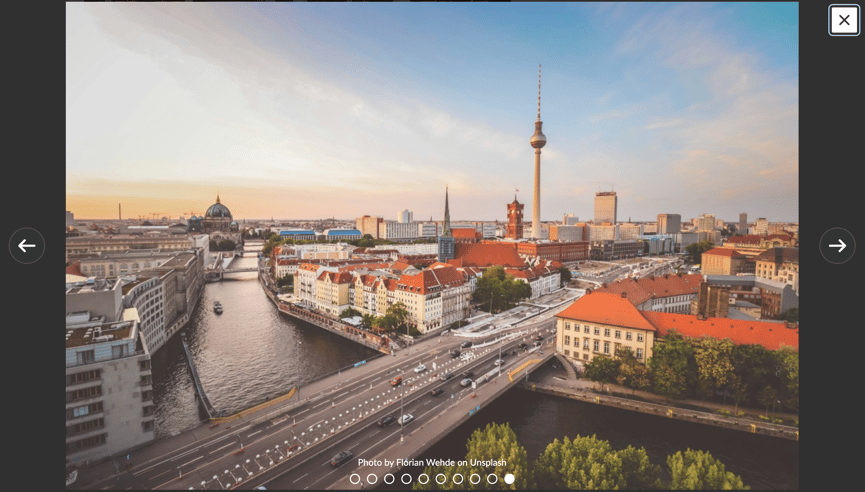
Images uploaded to Image gallery content blocks are now processed at up to 1280 pixels on their longest side, increased from 640 pixels. This provides clearer images in presentation mode while maintaining reasonable loading times.
| Area | Reference | Summary |
|---|---|---|
| Assignment | ITS-106060 |
We made an update to allow larger file sizes when downloading assignment answers. |
| Participants Page | ITS-105214 |
We fixed an issue that happened to users that were added to a course as a teacher, and later changed role to a student. Certain tasks that should have been created for these students were not. |
| SCORM player | ITS-87416 |
We made an improvement to SCORM course upload. Previously, when uploading a large course it could lead to a timeout error. The import is now done in the background with a progress indicator. |
| Security | ITS-106559 |
Fixed an issue in the new collaboration folders. Parent and guest users could view documents in collaboration folders they did not belong to. These folders do not contain any assessment criteria, and should not contain any sensitive data. |
Students can save course resources for future access
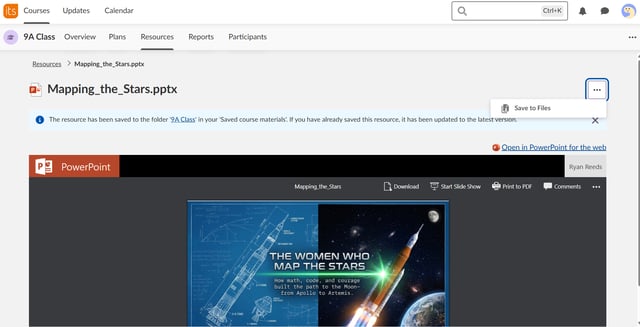
Building on our earlier enhancement that keeps assignment submissions available to students after a course has ended, students can now also save file resources from courses to their personal Files area in itslearning. Saved files remain accessible beyond the lifetime of a course, supporting revision, progression between year groups, and transitions between schools on the same itslearning platform.
Teachers have an option to disable the save option for individual file resources.
Note: The feature must be enabled by a site administrator in Global settings > Features and Security > Let students save course resources to their 'Saved course materials'.
Learn more
Would you like to read more about this update? You can find additional details in this blog post.
This feature is part of the German Development Project (GDP), a collaboration between four German states and itslearning aimed at enhancing digital education in Germany through tailored product developments.
Learn more about the GDP roadmap and what other features you can expect to see.
For German readers, more details on the German Development Project are made available on our webpages.
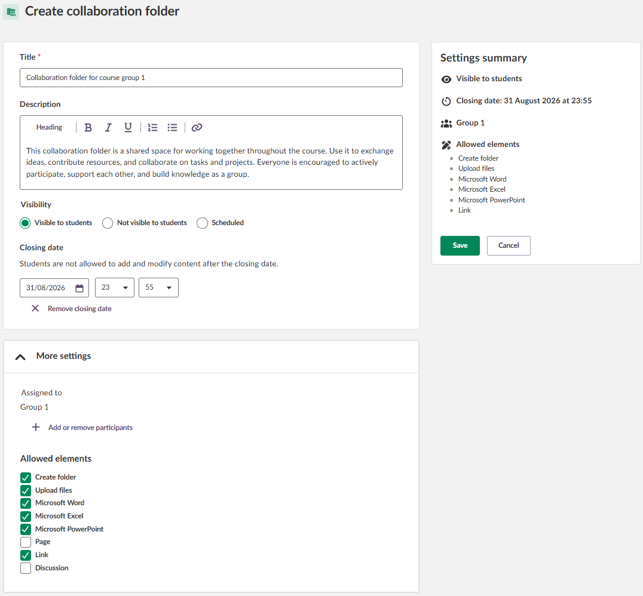
Group work is easier when everything is in one place. Collaboration folders are special course folders that enable students to work together on shared content. Unlike regular resource folders, they support active group work: all assigned students can add, edit, and remove content until editing is closed.
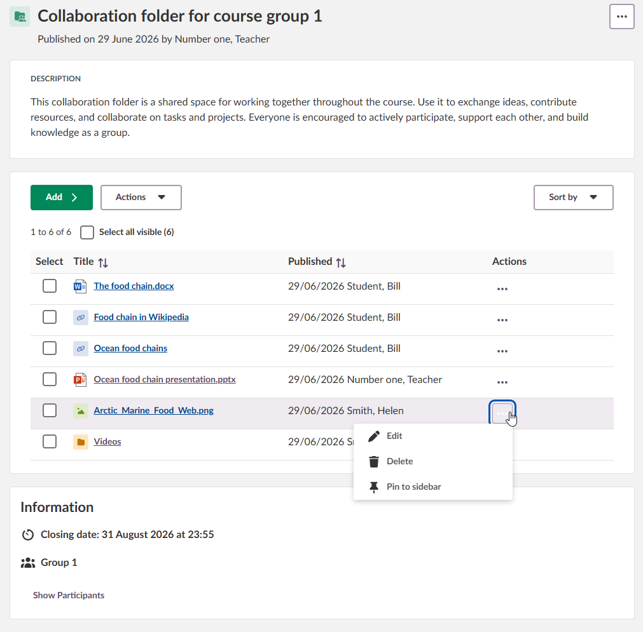
Use collaboration folders when you want students to work together in the same place, while you stay in control of who participates and when editing should stop. For example:
Teachers can quickly add a collaboration folder their course from Resources or from a Plan and assign it to a group or individual students.
Learn more
Would you like to read more about this update? You can find additional details in this blog post and detailed instructions in the support article.
This feature is part of the German Development Project (GDP), a collaboration between four German states and itslearning aimed at enhancing digital education in Germany through tailored product developments.
Learn more about the GDP roadmap and what other features you can expect to see.
For German readers, more details on the German Development Project are made available on our webpages.
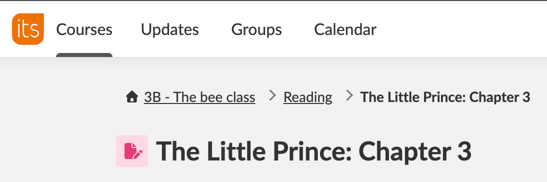
A home icon is now shown next to the course title in the breadcrumb navigation for students in Class.
The icon provides a clear and familiar way for students to return to the course overview. This is particularly helpful for younger students, making it easier to find their way back when navigating within a course.
See the user guide for Class for more details on how to use Class.
This feature is part of the German Development Project (GDP), a collaboration between four German states and itslearning aimed at enhancing digital education in Germany through tailored product developments.
Learn more about the GDP roadmap and what other features you can expect to see.
For German readers, more details on the German Development Project are made available on our webpages.
Teachers can now use the new image selector when adding images to their plans. This update introduces three ways to add a plan image:
The new selector is now available in multiple places, providing a more consistent image experience across the platform.
.png?width=815&name=Screenshot%202026-04-23%20at%2014.37.38%20(df78adf4-d4bc-412d-b0d2-4b37dfd9f900).png)
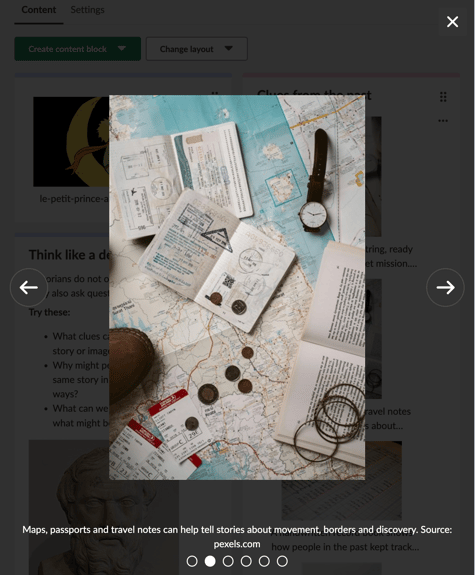
Users on touch screen devices can now swipe left or right to navigate images in the Page image carousel.
| Area | Reference | Summary |
|---|---|---|
| Resources | ITS-106330 |
The order of items in the Copy to and Move to dialogs now matches the order shown in the Content Map, providing a more consistent experience. |
The SCORM player and the process for importing SCORM content has been updated. This change is part of our ongoing work to improve the reliability, security, and long-term sustainability of SCORM support in itslearning.
This is a technical update and requires no action from users or administrators. Existing SCORM content continues to function as before and progress data in 360 reports is preserved. However, users who are part-way through a SCORM course at the time of the update may have lost their bookmark and need to resume from the beginning.
This change only affects customers using SCORM. If you do not currently have the SCORM add-on and need SCORM support, please contact your itslearning representative.
Undo delete in Your Files
We've made a small quality-of-life improvement to Your Files: users can now immediately undo an accidental deletion.
The topic link has been removed from the plan card to improve accessibility. The topic label is still displayed.
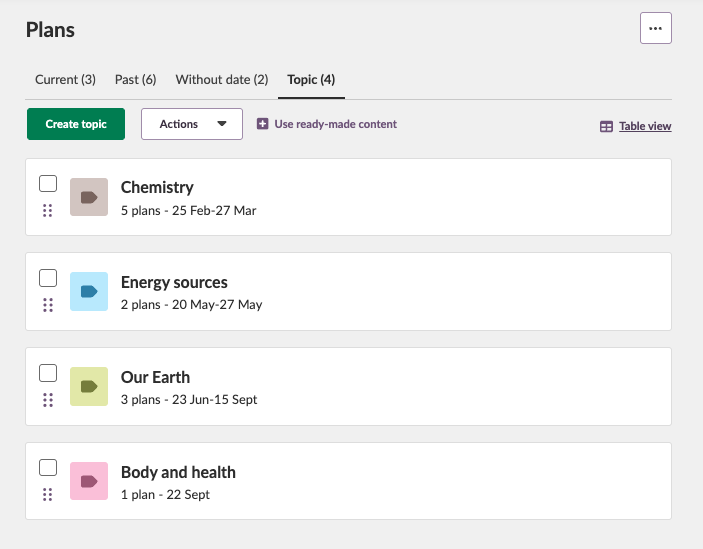
New topic icons are now displayed in Plans. These icons are already used in Resources and are now also visible on the Topics page and when adding ready-made content.
Teachers can now choose whether the Latest changes stream is shown on the subject course overview. This gives more flexibility when setting up the course overview, depending on whether teachers want to highlight recent activity or keep the overview focused on selected course content.
The setting is available in subject course settings and can also be configured as part of default course settings by system administrators.
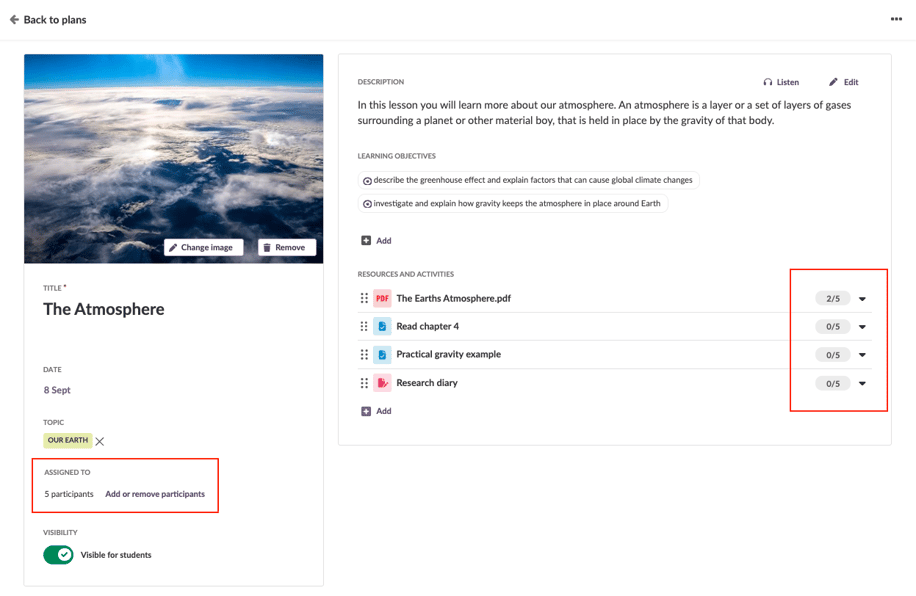
Teachers can assign plans to selected students and groups in Subject and Self-paced learning courses. Teachers assign a plan to specific students from single plan page. By default, a plan will always be assigned to all students in a course. To enable the functionality, teachers must go to Course settings and properties to enable Differentiated plans.
When differentiated planning is turned on for a course, plans and resources will be aligned. When you create a new plan, it will automatically get a separate plan folder in Resources.

Pages in the Library are now displayed using the new Page UI.
This applies when creating a Page in 'Your collection' and when previewing Page resources in the Library. This provides a more consistent Page experience across itslearning, replacing the legacy Page view previously used in the Library.
This feature is part of the German Development Project (GDP), a collaboration between four German states and itslearning aimed at enhancing digital education in Germany through tailored product developments.
Learn more about the GDP roadmap and what other features you can expect to see.
For German readers, more details on the German Development Project are made available on our webpages.
Teachers can now create a Files content block without uploading files first, making it easier to prepare Pages for collaboration with colleagues. Empty Files content blocks show an upload prompt with a link to edit the block.
Teachers can now print a Page element using the browser's standard print function, such as Ctrl+P or Cmd+P.
The printed version focuses on the user-generated content and removes unnecessary menus, editing controls, buttons and other interactive elements. No dedicated Print button has been added to Page.
| Area | Reference | Summary |
|---|---|---|
| Assessment record | ITS-104274 |
Improved the scrolling in Assessment record. Depending on the mouse cursor placement, users were sometimes not able to scroll to the bottom of the list of names. |
| Audio/Video Recordings | ITS-106230 |
Fixed an issue that could cause audio and video recordings to not be saved correctly to itslearning. |
| Course Administration | ITS-105754 |
In cases where a teacher has revoked full access for the admin role to a course resource. When the teacher tried to copy the resource there was an error. This was fixed. |
| Course Templates | ITS-103183 |
Course card images are now copied as a part of creating courses based on template via integrations (e.g. IMS-ES import). |
| ILP | ITS-106148 |
Fixed an issue that caused scrolling not to work correctly in ILP, depending on the users screen size. |
| Page | ITS-105842 |
In rare cases, when there was an issue with an image used on a page. Opening the page could cause an error. We fixed it so that when there is an issue with an image it should not cause a general error preventing the user from seeing the rest of the page. |